

SplitView#
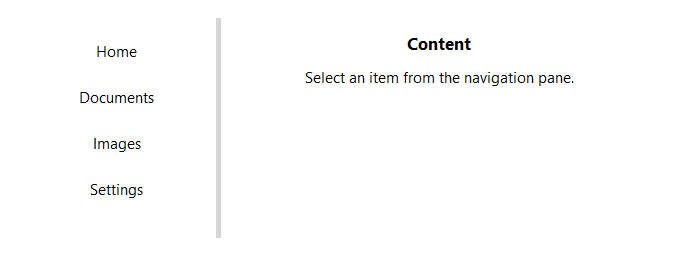
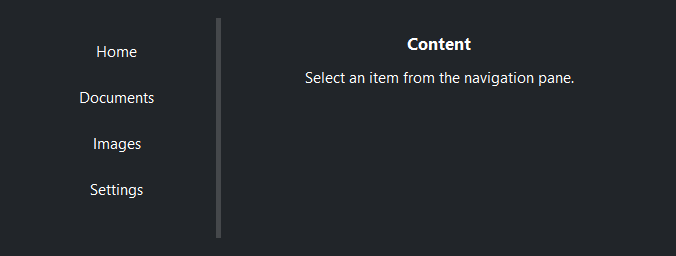
A resizable split container. Panes are separated by draggable sashes that can be moved at runtime to redistribute space.
Usage#
A SplitView arranges its panes along one axis with a draggable sash between each
pair. weight sets how panes share space; drag a sash (or call
sash_position) to override. Panes are addressed by key — give each one a name
to look it up, reorder it, or remove it at runtime.
Basic split#
Call add() once per pane. Use the returned value as a context manager
to place children inside that pane.
sv = bs.SplitView(grow=True)
with sv.add():
    bs.Label("Pane 1")
with sv.add():
    bs.Label("Pane 2")
Orientation#
orient='horizontal' (default) places panes side-by-side with a
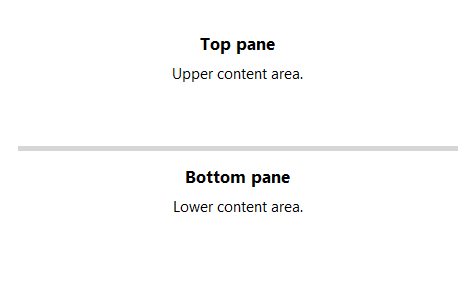
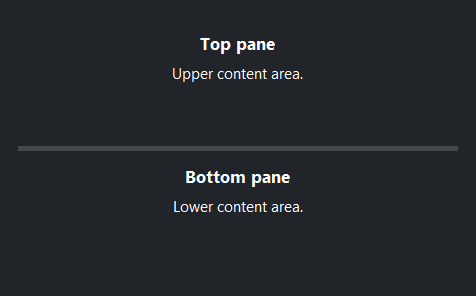
vertical sash. orient='vertical' stacks panes top-to-bottom with a
horizontal sash.
# Stacked top-to-bottom with a horizontal sash
sv = bs.SplitView(orient="vertical", grow=True)
with sv.add(weight=1, padding=12, gap=4):
    bs.Label("Top pane", font="heading-md")
    bs.Label("Upper content area.")
with sv.add(weight=1, padding=12, gap=4):
    bs.Label("Bottom pane", font="heading-md")
    bs.Label("Lower content area.")
Pane weight#
weight= controls how space is distributed among panes when the
container is resized. A pane with weight=2 takes twice the space of
one with weight=1.
sv = bs.SplitView(grow=True)
with sv.add(weight=1):   # one third
    ...
with sv.add(weight=2):   # two thirds
    ...
Three or more panes#
Call add() for each pane. Each pair of adjacent panes gets its own
independently draggable sash.
sv = bs.SplitView(grow=True)
with sv.add(weight=1):
    bs.Label("Left")
with sv.add(weight=2):
    bs.Label("Center")
with sv.add(weight=1):
    bs.Label("Right")
Managing panes#
add() returns a SplitPane
handle. Pass the pane’s key as the first argument to address it later — look one
up with item(), enumerate them all with panes, place a new pane next to
another with before= / after=, reorder an existing one with move(),
and drop one with remove(). The pane’s weight is a live property, so you
can re-balance the split at runtime; for an exact sash position in pixels use
sash_position().
sv = bs.SplitView(grow=True)
with sv.add("sidebar", weight=1):
    bs.Label("Sidebar")
with sv.add("main", weight=3):
    bs.Label("Main")

with sv.add("preview", after="main"):   # place by key, never an index
    bs.Label("Preview")

sv.move("preview", before="sidebar")    # reorder by key
sv.item("sidebar").weight = 2           # re-balance live
sv.sash_position(0, 200)                # place the first sash exactly
sv.remove("preview")                    # drop a pane (and its content)
Pane layout#
Each pane supports an independent internal layout via layout=.
sv = bs.SplitView(grow=True)

# Default: children stacked top-to-bottom
with sv.add(layout="column", gap=8):
    bs.Label("Row 1")
    bs.Label("Row 2")

# Children placed left-to-right
with sv.add(layout="row", gap=8):
    bs.Label("Col A")
    bs.Label("Col B")

# Grid layout
with sv.add(layout="grid", columns=["auto", 1], gap=8, horizontal_items="stretch"):
    bs.Label("Name")
    bs.TextField()
Sash thickness#
sash_thickness= sets the width (horizontal) or height (vertical) of
the draggable sash in pixels.
bs.SplitView(sash_thickness=2)   # hairline sash
bs.SplitView(sash_thickness=10)  # wide, easy-to-grab sash
Sash control#
Read and set sash positions programmatically. Positions are measured in pixels from the left (horizontal) or top (vertical) edge.
sv = bs.SplitView(grow=True)
with sv.add(): ...
with sv.add(): ...

sv.sash_positions           # [240]  — current positions
sv.sash_position(0, 300)    # move first sash to 300 px
Widget sizing#
All widgets accept self-placement kwargs via **kwargs. The parent
container determines which options apply — Column / Row parents use
the layout kwargs below, grid-based parents use grid kwargs.
Column (vertical layout)
Used inside a Column, App, or any other container with a column layout.
Children are arranged top-to-bottom, so horizontal aligns each child across
the width and grow shares the vertical space. (vertical does not apply —
the order of the children sets their top-to-bottom position.)
|
Cross-axis placement of the widget: |
|
Claim and fill a share of the leftover vertical space (the layout
direction). |
|
External spacing in pixels. Accepts an integer (equal on all
sides), a 2-tuple |
|
Horizontal external spacing (left and right). Accepts an integer
or a 2-tuple |
|
Vertical external spacing (top and bottom). Accepts an integer
or a 2-tuple |
Row (horizontal layout)
Used inside a Row or any other container with a row layout. Children are
arranged left-to-right, so vertical aligns each child across the height and
grow shares the horizontal space. (horizontal does not apply — the order
of the children sets their left-to-right position.)
|
Cross-axis placement of the widget: |
|
Claim and fill a share of the leftover horizontal space (the layout
direction). |
|
External spacing in pixels. Accepts an integer (equal on all
sides), a 2-tuple |
|
Horizontal external spacing (left and right). Accepts an integer
or a 2-tuple |
|
Vertical external spacing (top and bottom). Accepts an integer
or a 2-tuple |
Grid
Used inside a Grid container.
|
Zero-based row and column indices. |
|
Number of rows or columns to span. |
|
Horizontal placement within the grid cell: |
|
Vertical placement within the grid cell: |
|
External spacing in pixels. Accepts an integer, a 2-tuple
|
|
Horizontal external spacing. Accepts an integer or |
|
Vertical external spacing. Accepts an integer or |
See also#
ScrollView —
scrollable container.
API#
The complete reference for SplitView and its
SplitPane handles lives on the
Widgets API page. At a glance:
Full Example#
 1
 2with bs.App(title="SplitView", size=(680, 680), padding=20, gap=16) as app:
 3
 4    # ── Horizontal split (default) ─────────────────────────────────────────
 5    with bs.Column(horizontal="stretch", gap=0):
 6        bs.Label("Horizontal", font="heading-md")
 7
 8    sv = bs.SplitView(grow=True, horizontal="stretch")
 9    with sv.add(weight=1, padding=12, gap=8, horizontal_items="stretch"):
10        bs.Label("Navigation", font="heading-md")
11        bs.Divider()
12        for item in ("Home", "Documents", "Images", "Settings", "Help"):
13            bs.Button(item, variant="ghost")
14    with sv.add(weight=2, padding=12, gap=8):
15        bs.Label("Content", font="heading-md")
16        bs.Label("Select an item from the navigation pane.")
17
18    # ── Vertical split ─────────────────────────────────────────────────────
19    with bs.Column(horizontal="stretch", gap=0):
20        bs.Label("Vertical", font="heading-md")
21
22    sv2 = bs.SplitView(orient="vertical", horizontal="stretch")
23    with sv2.add(weight=1, padding=12, gap=4):
24        bs.Label("Top pane", font="heading-md")
25        bs.Label("Upper content area.")
26    with sv2.add(weight=1, padding=12, gap=4):
27        bs.Label("Bottom pane", font="heading-md")
28        bs.Label("Lower content area.")
29
30app.run()