

DataTable#
A feature-rich data table with sorting, search, column filters, grouping, paging,
inline editing, and data export. Backed by an in-memory SqliteDataSource by
default — supply rows= to pre-load data, or pass any shared data_source=.
Usage#
A data table binds to a data source and renders it as a sortable, filterable,
paged grid — you define the columns= and the table manages the rest. For a
hierarchy reach for a Tree; for a simple scrolling list, a ListView.
Columns and rows#
Define columns with columns= — a list of key strings (which double as
headers), or dicts for control over the header text and width. rows=
pre-loads the data as a list of dicts:
# Simple: column keys are used as headers
bs.DataTable(columns=["name", "role", "dept"], rows=people)

# Dicts give a display header and a width
bs.DataTable(
    columns=[
        {"text": "Name",   "key": "name",   "width": 160},
        {"text": "Role",   "key": "role",   "width": 150},
        {"text": "Salary", "key": "salary", "width": 100},
    ],
    rows=people,
)
Format cell values for display with format — a format-spec string applied as
spec.format(value), or a callable (value) -> str — and align cells with
anchor ('w', 'center', 'e'). Formatting is display only:
sorting, filtering, editing, and export all use the underlying value, so a
currency-formatted salary column still sorts numerically:
bs.DataTable(
    columns=[
        {"text": "Name",   "key": "name"},
        {"text": "Salary", "key": "salary", "anchor": "e", "format": "${:,.0f}"},
        {"text": "Bonus",  "key": "bonus",  "format": lambda v: f"{v:.1%}"},
    ],
    rows=people,
)
A column dict (a ColumnSpec) also controls how the column behaves in the
built-in add/edit dialog — the editor and its editor_options, the value
dtype (which also drives alignment), and readonly / required:
bs.DataTable(
    columns=[
        {"key": "name", "required": True},
        {"key": "dept", "editor": "select",
         "editor_options": {"items": ["Engineering", "Design", "Sales"]}},
        {"key": "salary", "dtype": "int"},
        {"key": "id", "readonly": True},
    ],
    rows=people,
)
The full set of ColumnSpec keys:
keyRecord field the column reads and writes. The only required key.
textHeader label. Defaults to
key.width/minwidthColumn width and minimum width, in pixels.
anchorCell alignment —
'w','center', or'e'.formatDisplay formatter — a format-spec string (e.g.
'${:,.0f}') or a callable(value) -> str. Display only.dtypeValue type hint (e.g.
'int','text') — drives alignment and the dialog editor.editor/editor_optionsField type and keyword options used in the add/edit dialog.
readonly/requiredMake the column non-editable, or require a value, in the add/edit dialog.
Each record carries a stable id that events and the selection API use to
identify rows. If your records already have an id field, that value is the
row id — so select_rows, update_rows / delete_rows, and the row
events all round-trip your own ids (a database key, a UUID). Records without one
get an id assigned automatically. Point at a different field with
id_field="employee_id", and replace the whole dataset later with
table.set_rows(rows).
Carrying extra data#
Columns are a view over the record, not the record itself. Fields you don’t
put in columns= are still carried through and handed back — a row event’s
record is the full domain record, including the undisplayed fields:
rows = [{"id": 1, "name": "Ada", "tags": ["math"], "profile": {"era": 1840}}]
table = bs.DataTable(rows=rows, columns=["name"])      # tags/profile hidden
table.on_row_click(lambda e: print(e.record["tags"]))  # → ['math']
On the default SqliteDataSource, non-scalar fields (lists, dicts) are carried
automatically and read back flat; on an in-memory source a field can hold any
object. See Carrying extra data for the storage-tiered details.
Column visibility#
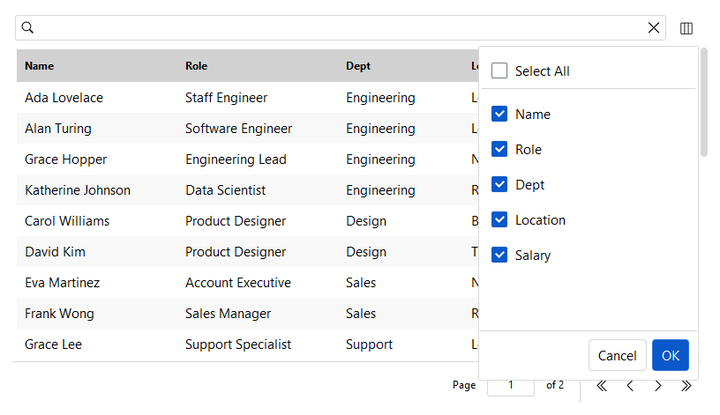
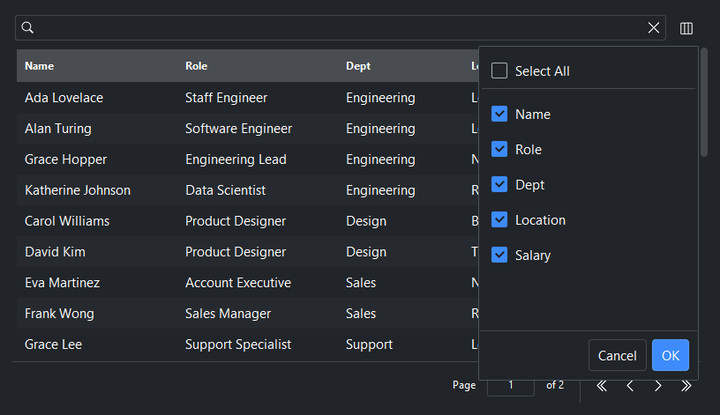
Show or hide columns at runtime. show_column_chooser=True adds a toolbar
button that opens a dialog for toggling which columns are visible; individual
columns can also be hidden from the column-header right-click menu:
bs.DataTable(columns=cols, rows=people, show_column_chooser=True)
Selection#
selection_mode is 'single' (default), 'multi', or 'none'. Read the
current selection with selection — a single record dict (or None) in
single mode, a list of record dicts in multi mode — and react with
on_select, whose
SelectionEvent carries the selected
records and their ids:
table = bs.DataTable(columns=cols, rows=people, selection_mode="multi")
table.on_select(lambda e: print(e.records, e.ids))
print(table.selection)   # list of record dicts (multi mode)
Manage the selection programmatically. Users can also press Escape over the
table to clear it — handy in single-select mode, where clicking cannot return to
an empty selection:
table.select_all()
table.select_rows([3, 7])     # by record id
table.deselect_rows([3])
table.clear_selection()
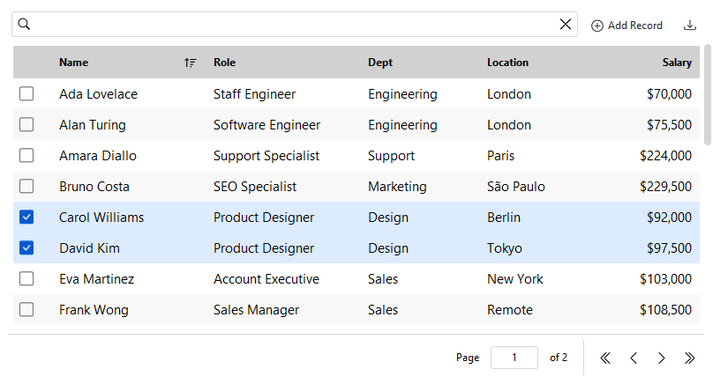
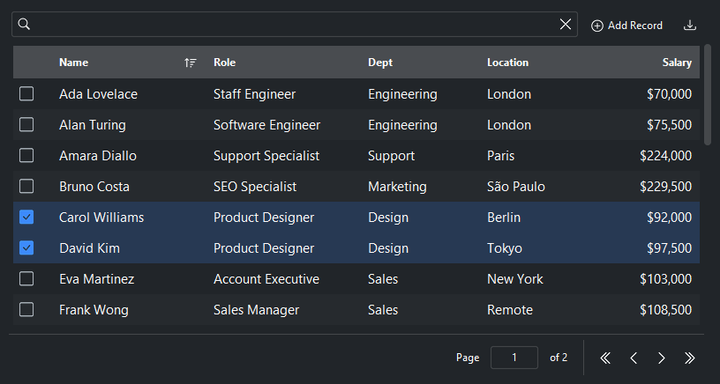
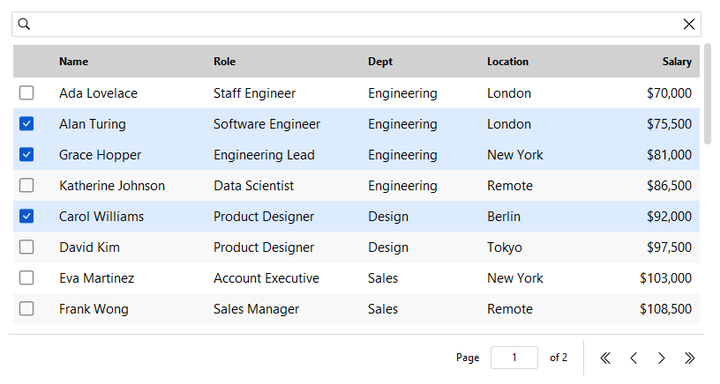
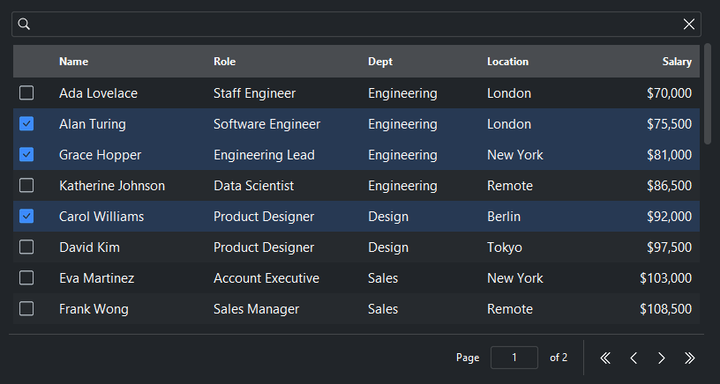
In multi-select mode, show_selection_controls=True adds a per-row checkbox in
the leading column — filled with the accent when selected, a muted outline
otherwise. With the checkboxes visible the table reads as a checklist: a plain
click toggles a row in or out of the selection, no Ctrl / Shift needed:
bs.DataTable(columns=cols, rows=people, selection_mode="multi",
         show_selection_controls=True)
Searching#
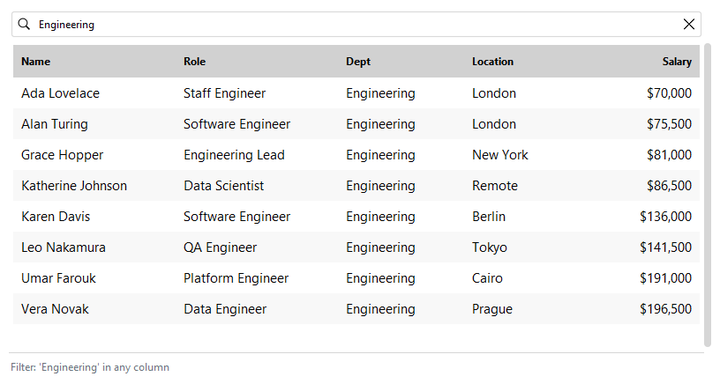
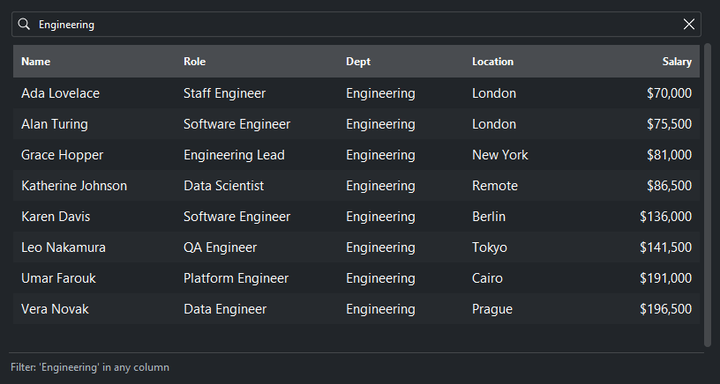
searchable=True (the default) shows a search box that filters across all
columns. Drive it programmatically too:
table = bs.DataTable(columns=cols, rows=people, searchable=True)
table.set_search("engineer")
print(table.get_search())     # "engineer"
table.clear_search()
Column filters#
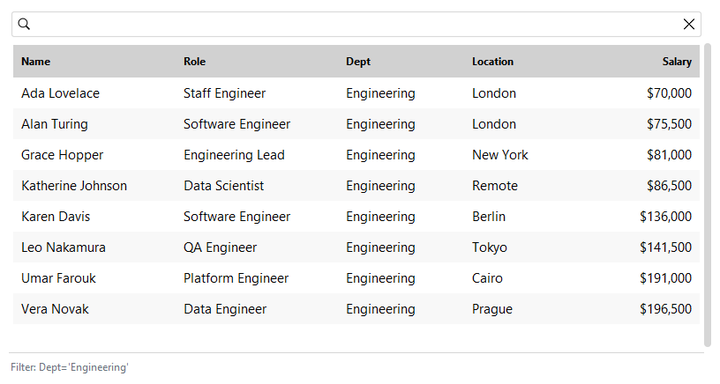
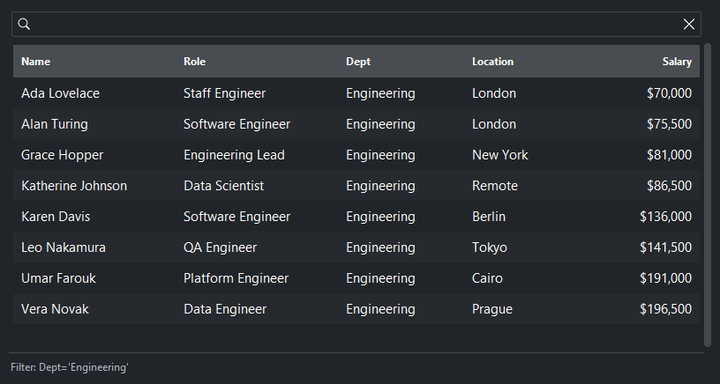
Beyond free-text search, each column header offers a value filter, and the row right-click menu adds filter by cell’s value alongside sort, hide, and delete actions. Search and column filters compose (both must match) and the status bar summarizes what’s active:
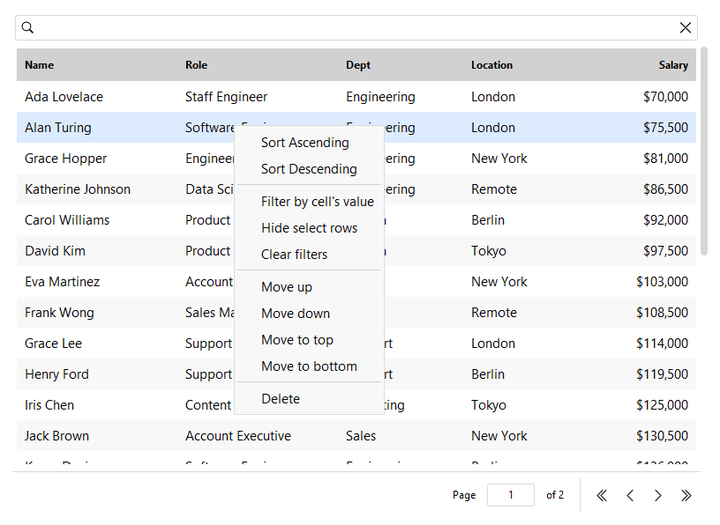
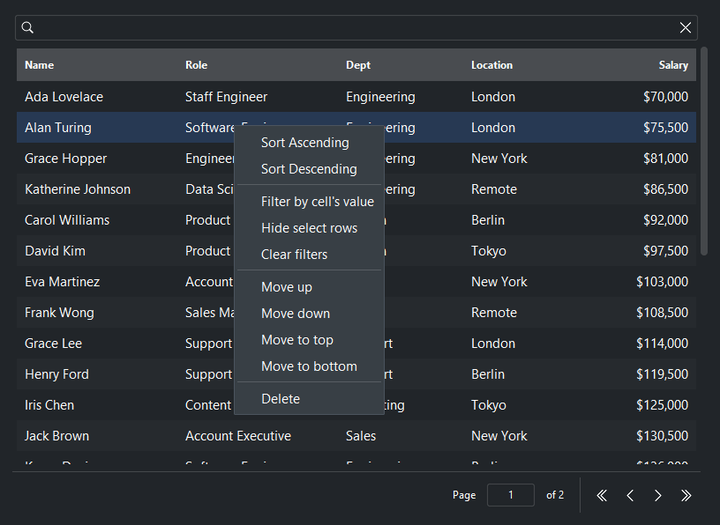
table = bs.DataTable(columns=cols, rows=people, allow_filter=True)

table.set_filter("dept", ["Engineering"])   # set one programmatically
print(table.get_filters())                  # {"dept": ["Engineering"]}
table.clear_filters()                        # leaves the search term intact
The filters are built on the data source’s query API — see
Data Sources for the col() expression DSL behind them.
Sorting#
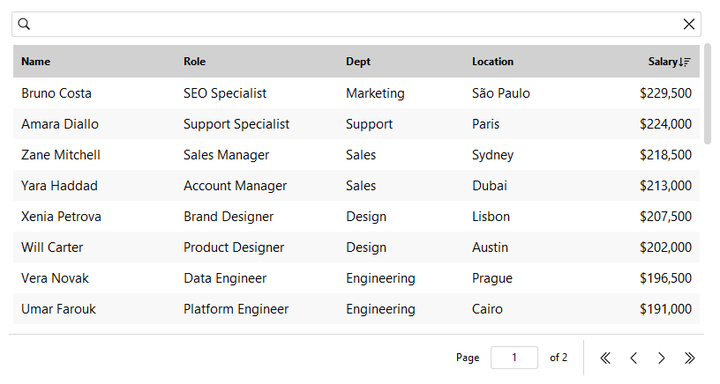
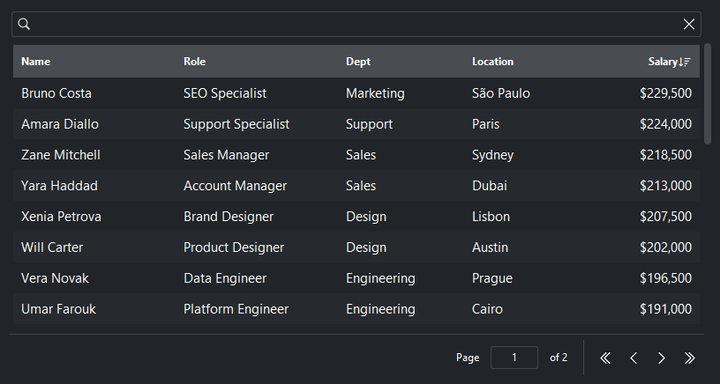
Click a column header to sort; click again to reverse. sorting_mode='none'
disables it:
table = bs.DataTable(columns=cols, rows=people, sorting_mode="single")

table.sort_by("salary", ascending=False)
print(table.get_sorting())    # {"salary": False}  (descending)
table.clear_sorting()
Grouping#
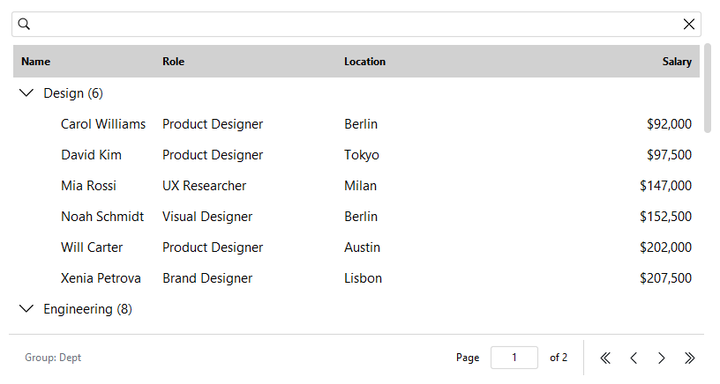
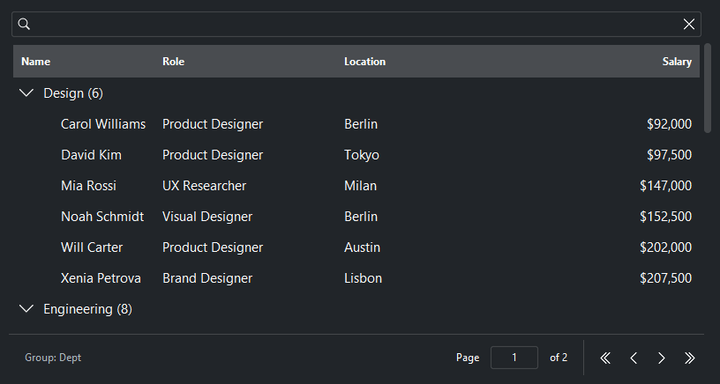
Right-click a column header for its context menu — align, reorder, hide/show
columns, clear the sort, and (with allow_group=True) group rows by that
column:
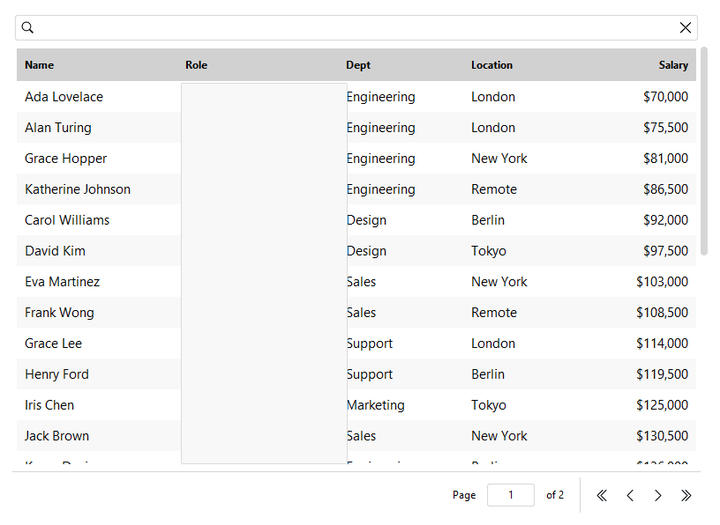
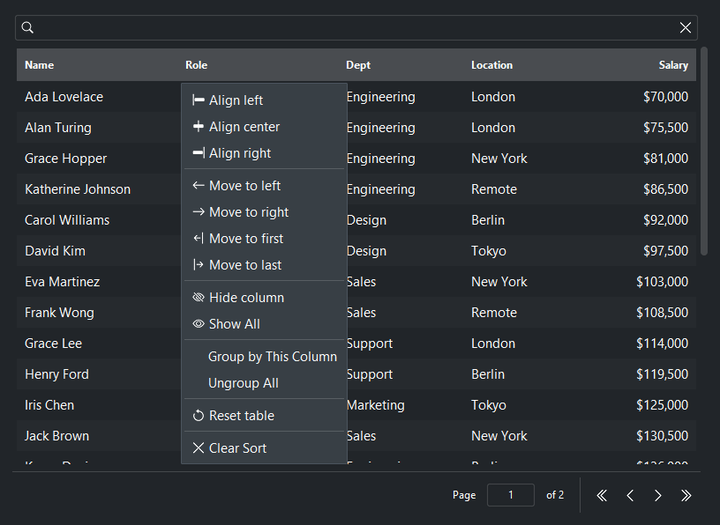
table = bs.DataTable(columns=cols, rows=people, allow_group=True)

table.group_by("dept")
table.expand_all()            # or collapse_all()
print(table.get_grouping())   # "dept"
table.clear_grouping()
Paging#
Data is paged. page_size sets the rows per page (default 25);
paging_mode='virtual' swaps the pager for infinite scrolling that fetches
more as you scroll:
bs.DataTable(columns=cols, rows=people, page_size=50)
bs.DataTable(columns=cols, rows=people, paging_mode="virtual")
Navigate pages programmatically:
table.next_page()
table.prev_page()
table.go_to_page(3)
print(table.current_page, "of", table.page_count)
Editing#
Enable the built-in editing UI with allow_add / allow_edit /
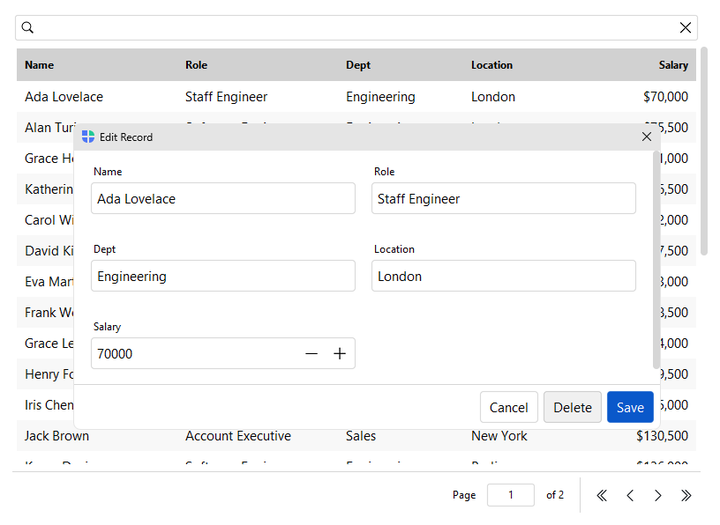
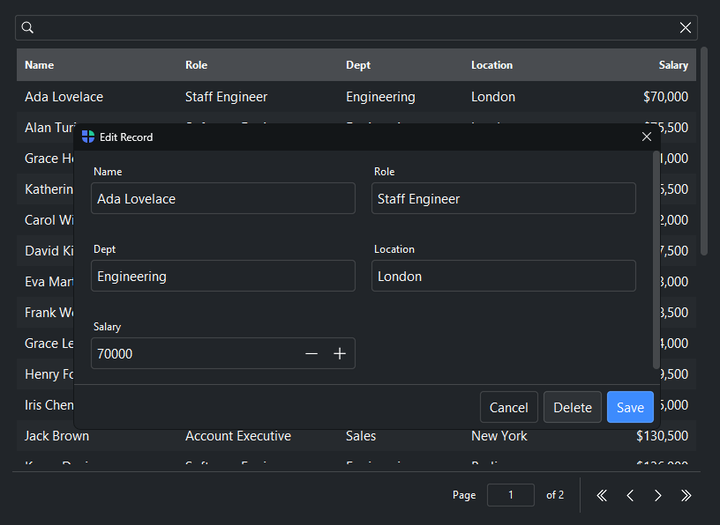
allow_delete. The usual way to edit a row is to double-click it, which
opens its edit dialog; toolbar buttons and a row right-click menu do the same.
All open the same form dialogs, which validate input and persist to the data
source:
Double-click a row — opens its edit dialog (the primary edit gesture; needs
allow_edit).Toolbar buttons — Add, Edit, and Delete.
Row right-click menu — Edit and Delete entries.
table = bs.DataTable(
    columns=cols, rows=people,
    allow_add=True, allow_edit=True, allow_delete=True,
)
Mutate programmatically with insert_rows / update_rows / delete_rows,
and react with the row events — each fires once per call with a
RowsEvent carrying all affected
records (so inserting 6,000 rows in one call is a single event, not 6,000):
table.insert_rows([{"name": "New Hire", "role": "Intern"}])
table.update_rows([{"id": 3, "role": "Lead"}])   # each dict needs an id
table.delete_rows([7])                            # by id or record dict

table.on_rows_insert(lambda e: print("added",   e.records))
table.on_rows_update(lambda e: print("changed", e.records))
table.on_rows_delete(lambda e: print("removed", e.records))
To replace the whole dataset, prefer set_rows(rows) — it bulk-loads in a
single pass rather than inserting row by row.
Open the built-in dialogs from your own code with new_row() and
edit_row() — they honor each column’s editor configuration (see
ColumnSpec above), fire the same row events on save, and also return the
saved record:
table.new_row()                          # New Record dialog
table.new_row({"dept": "Engineering"})   # pre-filled
saved = table.edit_row(3)                # Edit dialog for the row with id 3
The add and edit dialogs are built from form fields; tune their
layout with the form= constructor option (a FormOptions dict —
col_count, min_col_width, scrollable, resizable).
Row events#
Row interactions deliver a RowEvent with the
row’s record dict and its id (reordering through the row menu fires
on_rows_move with a RowsEvent instead).
As with every widget, an on_* method returns a Subscription when given a
handler, or a Stream when called without one:
table.on_row_click(lambda e: print(e.record, e.id))
table.on_row_double_click(lambda e: open_detail(e.record))
table.on_row_right_click(lambda e: ...)
table.on_rows_move(lambda e: print("reordered", e.records))

sub = table.on_row_click(lambda e: ...)
sub.cancel()     # unsubscribe (any on_* returns a Subscription)
With allow_edit, a double-click also opens the row’s edit dialog, so
on_row_double_click fires alongside the editor.
Exporting#
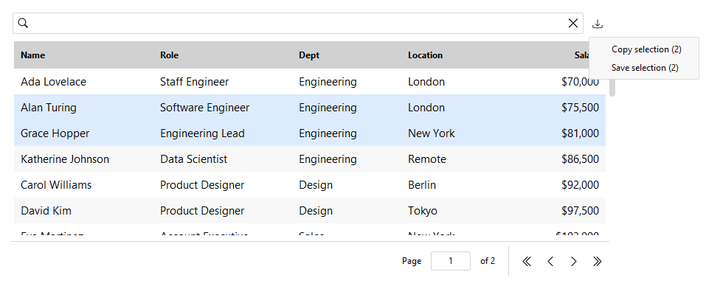
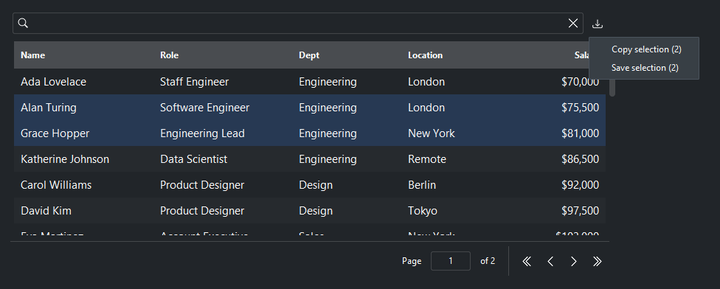
allow_export=True adds an export menu with Copy to clipboard and Save to
file. The actions export the selected rows if any are selected, otherwise the
whole filtered set.
export_formats= chooses which formats the menu offers (default ('csv',)):
bs.DataTable(rows=rows, allow_export=True,
             export_formats=["csv", "xlsx", "json", "parquet"])
Choose from csv, tsv, xlsx, json, jsonl, xml, parquet,
feather, hdf5. Formats needing an optional dependency
(xlsx``→``bootstack[excel], parquet/feather``→``bootstack[parquet],
hdf5``→``bootstack[hdf5]) appear in the menu only once it is installed. The
export carries the displayed columns; for the full record set (every field,
including undisplayed ones) use table.data_source.save(path).
For programmatic export, two tiers cover small and large data. Materialized helpers load everything into memory — convenient for small result sets:
rows = table.to_rows()        # list[dict]
text = table.to_csv()         # CSV string
They raise above max_rows (100,000 by default), a signpost to the streaming
API. Streaming helpers page the data source so memory stays flat regardless of
size:
for record in table.iter_rows():     # lazy, pages the source
    ...

table.export_file("people.csv")      # streams to disk; .xlsx if bootstack[excel]
For very large exports, export_file_async runs on the event loop without
blocking the UI, reporting progress and supporting cancellation (a cancelled or
failed export removes the partial file):
job = table.export_file_async(
    "people.xlsx",
    on_progress=lambda done, total: update_bar(done, total),
    on_done=lambda status, n, err: print(status, n),
)
job.cancel()
Every export emits an ExportEvent, and
scope selects what to export ("all", "page", or "selection"):
table.on_export(lambda e: toast(f"Exported {e.count} rows to {e.path}"))
table.to_csv(scope="selection")
Data binding#
By default the table builds its own in-memory SqliteDataSource. To back it
with a database file — or to share one source across views — pass a source via
data_source=. Mutate that source (even from a background thread) and the
table refreshes itself:
from bootstack.data import SqliteDataSource

ds = SqliteDataSource("people.db")
ds.load(people)

table = bs.DataTable(columns=cols, data_source=ds)
ds.insert({"name": "Streamed in"})   # the table updates on its own
Any source that implements the data-source protocol works — SqliteDataSource,
MemoryDataSource, FileDataSource, or your own — so row identity,
selection, and editing round-trip regardless of the backend. See
Data Sources for the source’s filtering and sorting
(where() / order()) and change broadcasting (on_change / observe).
Multiple tables, one source#
Two DataTable widgets can share one source and stay independent. Search
terms, column filters, and column sorting are per-view state — they do not
mutate the shared source. Each table applies its own filter and sort transiently
during reads, then restores the source for the next caller:
shared = MemoryDataSource()
shared.load(people)

table_active   = bs.DataTable(data_source=shared, columns=cols)
table_archived = bs.DataTable(data_source=shared, columns=cols)

# Searching in one has no effect on the other.
table_active.set_search("Smith")
Applying where() or order() directly on the source still reaches every
view — that is the correct way to drive a coordinated cross-view filter (for
example, from a chart click). For that pattern, broadcast_search=True makes
the table’s own search box write to the source un-silenced, so a Chart or a
second DataTable with no active search also re-renders:
# The table's search box now propagates to the chart bound to the same source.
table = bs.DataTable(data_source=shared, columns=cols, broadcast_search=True)
Warning
Set broadcast_search=True on at most one DataTable per source.
Two tables with this flag on the same source will overwrite each other’s
filter on every keystroke.
Density and striping#
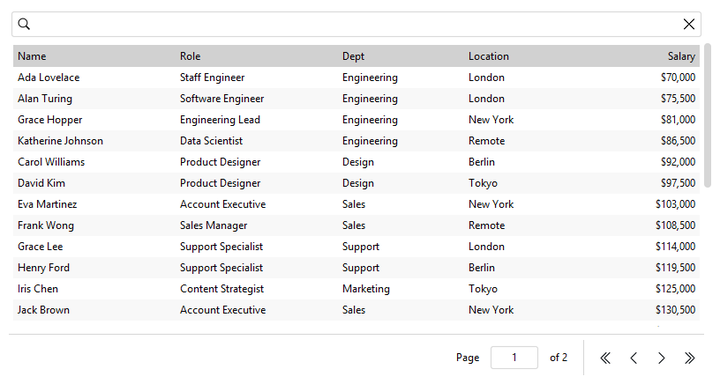
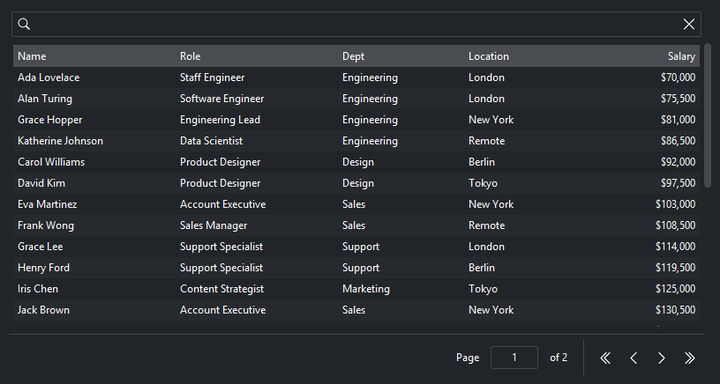
Rows are striped by default — pass striped=False to turn the alternating
background off. density='compact' tightens the row height, body font, and
cell padding to fit more rows in the same space:
bs.DataTable(columns=cols, rows=people, density="compact")
The table draws no border of its own. Wrap it in a Card or a Frame
when you want a bordered, contained look.
Widget sizing#
All widgets accept self-placement kwargs via **kwargs. The parent
container determines which options apply — Column / Row parents use
the layout kwargs below, grid-based parents use grid kwargs.
Column (vertical layout)
Used inside a Column, App, or any other container with a column layout.
Children are arranged top-to-bottom, so horizontal aligns each child across
the width and grow shares the vertical space. (vertical does not apply —
the order of the children sets their top-to-bottom position.)
|
Cross-axis placement of the widget: |
|
Claim and fill a share of the leftover vertical space (the layout
direction). |
|
External spacing in pixels. Accepts an integer (equal on all
sides), a 2-tuple |
|
Horizontal external spacing (left and right). Accepts an integer
or a 2-tuple |
|
Vertical external spacing (top and bottom). Accepts an integer
or a 2-tuple |
Row (horizontal layout)
Used inside a Row or any other container with a row layout. Children are
arranged left-to-right, so vertical aligns each child across the height and
grow shares the horizontal space. (horizontal does not apply — the order
of the children sets their left-to-right position.)
|
Cross-axis placement of the widget: |
|
Claim and fill a share of the leftover horizontal space (the layout
direction). |
|
External spacing in pixels. Accepts an integer (equal on all
sides), a 2-tuple |
|
Horizontal external spacing (left and right). Accepts an integer
or a 2-tuple |
|
Vertical external spacing (top and bottom). Accepts an integer
or a 2-tuple |
Grid
Used inside a Grid container.
|
Zero-based row and column indices. |
|
Number of rows or columns to span. |
|
Horizontal placement within the grid cell: |
|
Vertical placement within the grid cell: |
|
External spacing in pixels. Accepts an integer, a 2-tuple
|
|
Horizontal external spacing. Accepts an integer or |
|
Vertical external spacing. Accepts an integer or |
See also#
ListView — a lightweight virtual list for simpler, card-style records.
Form — the form fields behind the inline add/edit dialogs.
Data Sources — the data layer, the
col()query DSL, and change broadcasting.Events — the
RowEvent,SelectionEvent, andExportEventpayloads.
API#
The complete reference for DataTable lives on the
Widgets API page. At a glance:
A feature-rich data table with sorting, filtering, search, and grouping. |
The column and form configuration dicts — ColumnSpec and FormOptions — live in bootstack.types. The
export_file_async method returns an ExportJob handle whose cancel()
stops the export and removes the partial file.
Full Example#
 1from bootstack.types import ColumnSpec
 2
 3# Column definitions — each dict maps a display label to a record key.
 4COLUMNS: list[ColumnSpec] = [
 5    {"text": "Name", "key": "name", "width": 160},
 6    {"text": "Department", "key": "department", "width": 130},
 7    {"text": "Role", "key": "role", "width": 150},
 8    {"text": "Location", "key": "location", "width": 120},
 9    {"text": "Salary", "key": "salary", "width": 100},
10    {"text": "Start Date", "key": "start_date", "width": 110},
11]
12
13_DEPARTMENTS = [
14    ("Engineering", "Software Engineer"),
15    ("Engineering", "Staff Engineer"),
16    ("Design", "Product Designer"),
17    ("Sales", "Account Executive"),
18    ("Sales", "Sales Manager"),
19    ("Support", "Support Specialist"),
20    ("Marketing", "Content Strategist"),
21]
22_LOCATIONS = ["New York", "London", "Berlin", "Remote", "Tokyo"]
23_NAMES = [
24    "Ada Lovelace", "Alan Turing", "Grace Hopper", "Linus Torvalds",
25    "Margaret Hamilton", "Dennis Ritchie", "Barbara Liskov", "Ken Thompson",
26    "Katherine Johnson", "Donald Knuth", "Radia Perlman", "Brian Kernighan",
27    "Hedy Lamarr", "Tim Berners-Lee", "Anita Borg", "Guido van Rossum",
28    "Joan Clarke", "Vint Cerf", "Karen Spärck Jones", "James Gosling",
29    "Shafi Goldwasser", "Bjarne Stroustrup", "Frances Allen", "John Carmack",
30]
31
32# Build a sample dataset large enough to page through (page_size below is 10).
33ROWS = []
34for i, person in enumerate(_NAMES):
35    dept, role = _DEPARTMENTS[i % len(_DEPARTMENTS)]
36    ROWS.append({
37        "name": person,
38        "department": dept,
39        "role": role,
40        "location": _LOCATIONS[i % len(_LOCATIONS)],
41        "salary": 70_000 + (i * 4_500),
42        "start_date": f"20{15 + (i % 9):02d}-{1 + (i % 12):02d}-{1 + (i % 28):02d}",
43    })
44
45
46with bs.App(title="Data Table Demo", size=(980, 620), padding=16, gap=12) as app:
47    bs.Label("Employees", font="heading-lg")
48    bs.Label(
49        "Click a column header to sort · use the search box and column filters · "
50        "select rows · add, edit, delete, group, and export from the toolbar.",
51        font="body-sm",
52    )
53
54    selection = bs.Label("No rows selected", font="caption")
55
56    table = bs.DataTable(
57        columns=COLUMNS,
58        rows=ROWS,
59        selection_mode="multi",
60        show_selection_controls=True,
61        searchable=True,
62        allow_filter=True,
63        allow_group=True,
64        allow_add=True,
65        allow_edit=True,
66        allow_delete=True,
67        allow_export=True,
68        striped=True,
69        show_status_bar=True,
70        page_size=10,
71        grow=True,
72        horizontal="stretch",
73    )
74
75    def show_selection(e):
76        records = e.records
77        if records:
78            names = ", ".join(r["name"] for r in records[:3])
79            extra = f" +{len(records) - 3} more" if len(records) > 3 else ""
80            selection.text = f"{len(records)} selected: {names}{extra}"
81        else:
82            selection.text = "No rows selected"
83
84    table.on_select(show_selection)
85
86    def show_export(e):
87        where = e.path if e.target == "file" else "the clipboard"
88        selection.text = f"Exported {e.count} rows ({e.format}) to {where}"
89
90    table.on_export(show_export)
91
92app.run()