

Color Dialog#
bs.ask_color() opens a modal color chooser and returns the selected color.
ColorChooserDialog gives the same chooser as a reusable object.
Usage#
Reach for the ask_color() verb by default — it covers the one-shot case. Drop
to the ColorChooserDialog object only when you need to reuse the chooser or
open it repeatedly.
Convenience function#
bs.ask_color() is the one-liner shorthand. Pass value= to pre-select an
initial color (any CSS hex string):
result = bs.ask_color(title="Background Color", value="#1a1a2e")
if result:
    apply_background(result.hex)
The return value is a ColorChoice with three attributes:
Attribute |
Description |
|---|---|
|
|
|
|
|
Lowercase hex string, e.g. |
None is returned if the user cancels.
Reusable dialog object#
Use ColorChooserDialog when you need to inspect the result after show()
or show the same dialog multiple times:
from bootstack.dialogs import ColorChooserDialog

dlg = ColorChooserDialog(title="Pick a color", value="#ff0000")
dlg.show()

if dlg.result:
    r, g, b = dlg.result.rgb
Chooser layout#
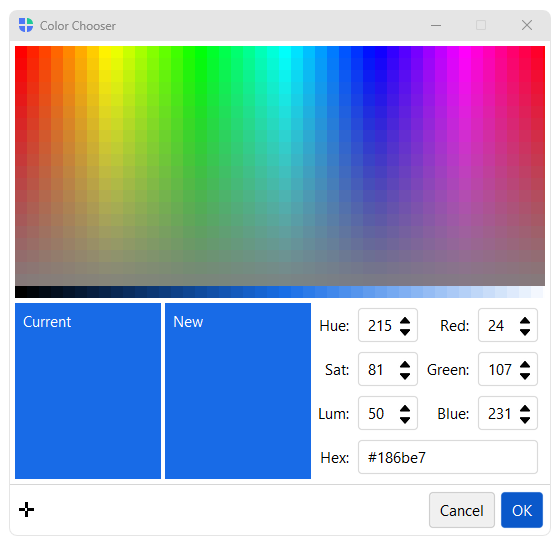
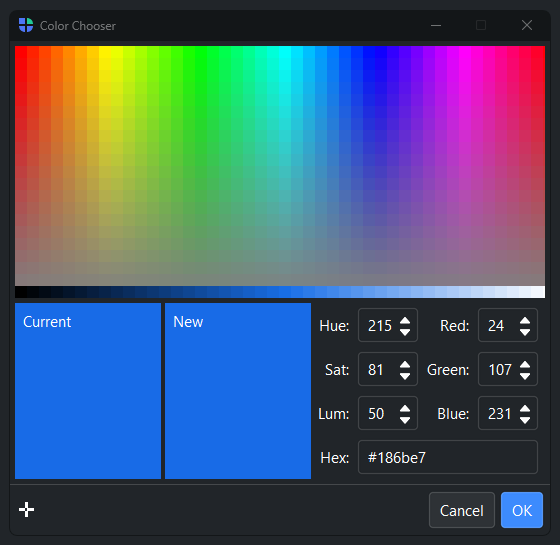
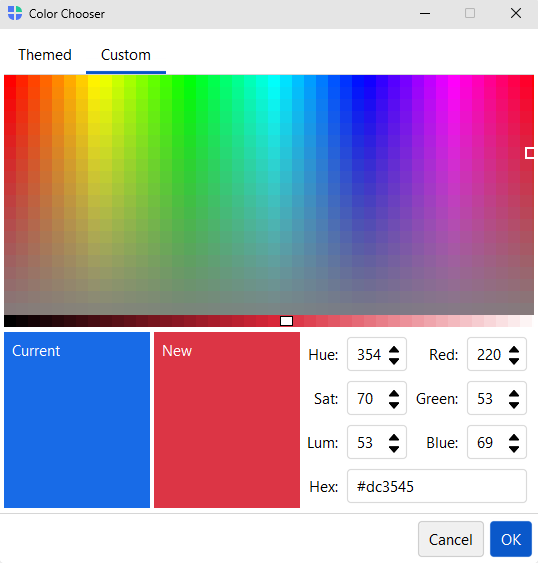
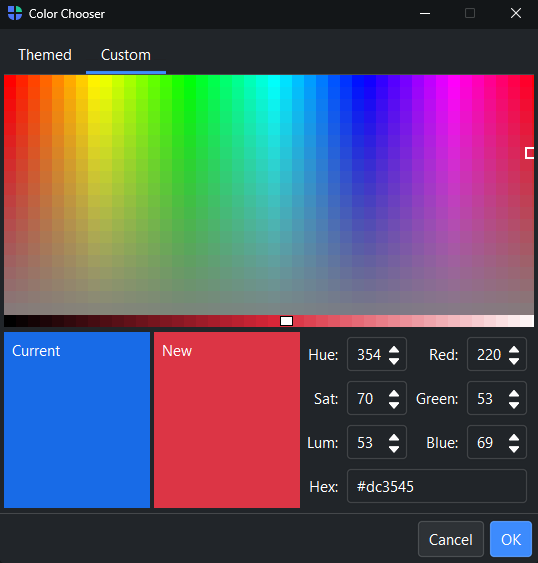
The chooser has two tabs. Themed shows the active theme’s color families (primary, success, info, warning, danger, and a neutral gray) as light-to-dark bands — click any swatch to pick an on-theme color. Custom shows a hue/saturation field for picking any color freely. Both tabs share the luminance slider, live preview, and the numeric fields on the right, which allow direct entry in RGB, HSL, or hex notation.
See also#
Input Dialogs — ask_string(), ask_integer(), and other value-input dialogs.
Font Dialog — ask_font() for selecting a font.
API#
The complete reference for ask_color() and
ColorChooserDialog (and its
ColorChoice result) lives on the Dialogs API
page. At a glance:
Show a color chooser dialog. |
|
A dialog for choosing a color. |
|
A color selected from |
Full Example#
 1
 2from bootstack.dialogs import ColorChooserDialog
 3def show_chooser():
 4    result = bs.ask_color(title="Choose Color", value="#0070C0")
 5    if result:
 6        print(f"Selected: hex={result.hex}  rgb={result.rgb}  hsl={result.hsl}")
 7
 8def show_custom():
 9    dlg = ColorChooserDialog(title="Background Color", value="#00B050")
10    dlg.show()
11    if dlg.result:
12        print(f"hex={dlg.result.hex}")
13
14with bs.App(title="Color Dialog", size=(680, 160), padding=20, gap=16) as app:
15
16    bs.Label("Color Dialog", font="heading-sm")
17    with bs.Row(gap=8):
18        bs.Button("ask_color()",          on_click=show_chooser)
19        bs.Button("ColorChooserDialog()", on_click=show_custom)
20
21app.run()