

RangeSlider#
A two-handle track for selecting a low/high value range.
Usage#
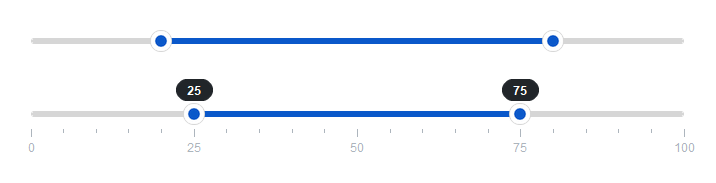
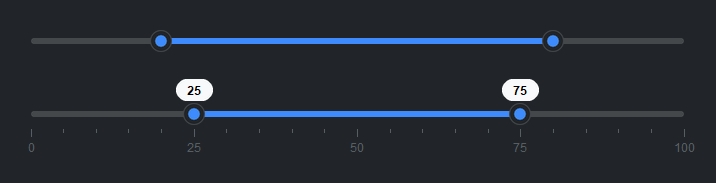
A range slider selects a low and a high value within a
min_value/max_value range, both clamped to the bounds. As with the
single-handle Slider, on_change fires continuously as a
handle moves and on_commit fires once on release — reach for on_commit
when the per-update work is expensive.
Basic#
bs.RangeSlider(20, 80)
bs.RangeSlider(0, 50, min_value=0, max_value=100)
Show value badges#
Set show_value=True to display floating badges on both handles.
bs.RangeSlider(20, 80, show_value=True)


Tick marks#
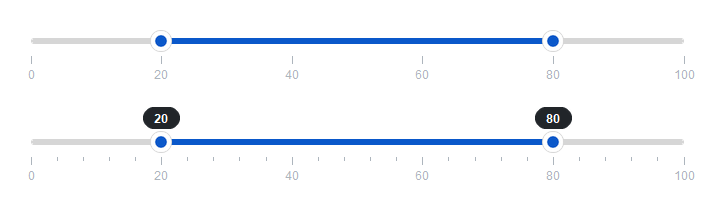
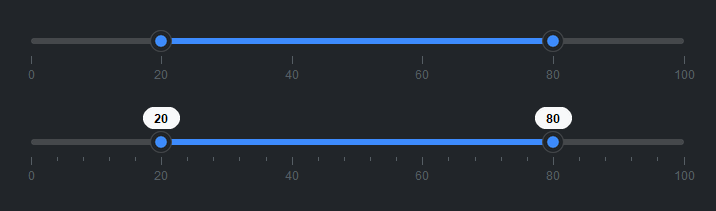
Use tick_step= to add major tick marks. minor_ticks= adds
subdivisions between them.
bs.RangeSlider(20, 80, tick_step=20)
bs.RangeSlider(20, 80, tick_step=20, minor_ticks=4)
Note
tick_step only draws the marks — the handles still move continuously.
To make the handles snap to those increments, use step= (see
Snapping to steps).
Accent colors#
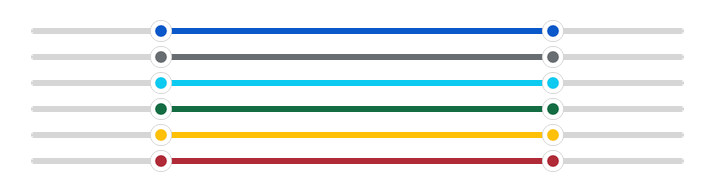
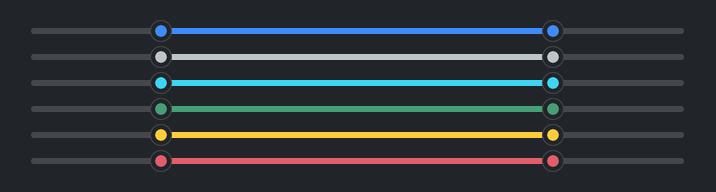
bs.RangeSlider(20, 80, accent="primary")
bs.RangeSlider(20, 80, accent="secondary")
bs.RangeSlider(20, 80, accent="info")
bs.RangeSlider(20, 80, accent="success")
bs.RangeSlider(20, 80, accent="warning")
bs.RangeSlider(20, 80, accent="danger")
Reactive binding#
Bind Signal[float] instances to each handle independently.
lo = bs.Signal(25.0)
hi = bs.Signal(75.0)
bs.RangeSlider(low_signal=lo, high_signal=hi)
lo.subscribe(lambda v: print(f"Low: {v}"))
hi.subscribe(lambda v: print(f"High: {v}"))
Reading the range#
Access both handles at once via .value, or individually via
.low_value and .high_value.
rs = bs.RangeSlider(20, 80)
lo, hi = rs.value      # → (20.0, 80.0)
rs.low_value  = 30     # move low handle (clamped to [min, high])
rs.high_value = 70     # move high handle (clamped to [low, max])
Snapping to steps#
Set step= to constrain both handles to discrete increments. Click and drag
values snap to the nearest multiple of step (measured from min_value),
and the arrow keys move by step. It is independent of tick_step — set
both for a stepped range with matching marks, or step alone to snap without
drawing ticks.
# Both handles snap to 0, 5, 10, … 100
bs.RangeSlider(20, 80, min_value=0, max_value=100, step=5, tick_step=5)
When the range is not an even multiple of step, the maximum stays reachable.
Events#
on_change fires continuously as either handle moves; on_commit fires
once when a handle is released or moved by keyboard. Reach for on_commit
when the work behind the slider is expensive — a query, a recompute, a redraw.
rs = bs.RangeSlider(20, 80, min_value=0, max_value=100)

# Fires continuously during a drag — keep this cheap
rs.on_change(lambda e: preview(e.low_value, e.high_value))

# Fires once, on release or keyboard commit
rs.on_commit(lambda e: filter_results(e.low_value, e.high_value))

# As a Stream
rs.on_change().debounce(150).listen(lambda e: save(e.low_value, e.high_value))
The handler receives a RangeSliderEvent
(on_change) or RangeSliderCommitEvent
(on_commit); event.low_value and event.high_value hold the current
handle values.
Keyboard#
The slider is a single tab stop — Tab moves focus in, then on out to the next
control; focus is never trapped. The active handle (shown with a focus ring)
responds to the along-track arrow keys (±1, or ±``step`` when step is set),
Shift + arrow (a larger jump), and Home / End (minimum / maximum).
The cross-axis arrows switch which handle is active — Up / Down for a
horizontal slider, Left / Right for a vertical one. Every keyboard change
also emits on_commit.
Disabled#
bs.RangeSlider(20, 80)
bs.RangeSlider(20, 80, disabled=True)


Widget sizing#
All widgets accept self-placement kwargs via **kwargs. The parent
container determines which options apply — Column / Row parents use
the layout kwargs below, grid-based parents use grid kwargs.
Column (vertical layout)
Used inside a Column, App, or any other container with a column layout.
Children are arranged top-to-bottom, so horizontal aligns each child across
the width and grow shares the vertical space. (vertical does not apply —
the order of the children sets their top-to-bottom position.)
|
Cross-axis placement of the widget: |
|
Claim and fill a share of the leftover vertical space (the layout
direction). |
|
External spacing in pixels. Accepts an integer (equal on all
sides), a 2-tuple |
|
Horizontal external spacing (left and right). Accepts an integer
or a 2-tuple |
|
Vertical external spacing (top and bottom). Accepts an integer
or a 2-tuple |
Row (horizontal layout)
Used inside a Row or any other container with a row layout. Children are
arranged left-to-right, so vertical aligns each child across the height and
grow shares the horizontal space. (horizontal does not apply — the order
of the children sets their left-to-right position.)
|
Cross-axis placement of the widget: |
|
Claim and fill a share of the leftover horizontal space (the layout
direction). |
|
External spacing in pixels. Accepts an integer (equal on all
sides), a 2-tuple |
|
Horizontal external spacing (left and right). Accepts an integer
or a 2-tuple |
|
Vertical external spacing (top and bottom). Accepts an integer
or a 2-tuple |
Grid
Used inside a Grid container.
|
Zero-based row and column indices. |
|
Number of rows or columns to span. |
|
Horizontal placement within the grid cell: |
|
Vertical placement within the grid cell: |
|
External spacing in pixels. Accepts an integer, a 2-tuple
|
|
Horizontal external spacing. Accepts an integer or |
|
Vertical external spacing. Accepts an integer or |
See also#
Slider — single-handle slider
NumberField — numeric input with typed entry
API#
The complete reference for RangeSlider lives on the
Widgets API page. At a glance:
A two-handle slider for selecting a low/high value range. |
Full Example#
 1
 2with bs.App(title="RangeSlider Demo", padding=20, gap=16, minsize=(400, 200)) as app:
 3
 4    # Basic
 5    bs.Label("Basic", font="heading-sm")
 6    bs.RangeSlider(20, 80, horizontal="stretch")
 7
 8    # Value badges
 9    bs.Label("Value Badges", font="heading-sm")
10    bs.RangeSlider(20, 80, show_value=True, horizontal="stretch")
11
12    # Tick marks
13    bs.Label("Tick Marks", font="heading-sm")
14    bs.RangeSlider(20, 80, tick_step=20, horizontal="stretch")
15    bs.RangeSlider(20, 80, tick_step=20, minor_ticks=4, show_value=True, horizontal="stretch")
16
17    # Accent colors
18    bs.Label("Accent Colors", font="heading-sm")
19    with bs.Column(gap=6, horizontal="stretch", horizontal_items="stretch"):
20        for accent in ("primary", "secondary", "info", "success", "warning", "danger"):
21            bs.RangeSlider(20, 80, accent=accent)
22
23    # Step snapping (both handles snap to 0, 5, 10, … 100)
24    bs.Label("Step Snapping", font="heading-sm")
25    bs.RangeSlider(20, 80, step=5, tick_step=5, horizontal="stretch")
26
27    # Disabled
28    bs.Label("Disabled", font="heading-sm")
29    bs.RangeSlider(20, 80, disabled=True, horizontal="stretch")
30
31app.run()