

Dialog#
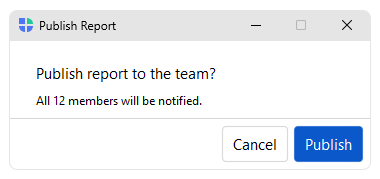
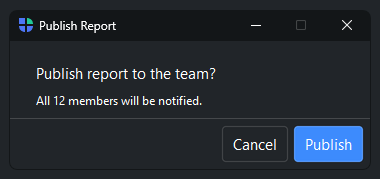
Dialog creates a fully custom modal window. Provide a
content_builder= function to lay out any widgets, and a buttons= list
to define the footer.
Usage#
Reach for Dialog when no built-in fits — it is a blank modal you fill with a
content_builder= body and a buttons= footer, and show() blocks until
it returns a result. For the common cases, prefer the verb dialogs
(alert/confirm, ask_*) or a
FormDialog.
Content builder#
The dialog’s content area is set as the active parent, so content_builder
fills it like an App body — no parent= needed.
padding= and gap= configure the content area:
from bootstack.dialogs import Dialog

def build():
    bs.Label("New version available", font="heading-sm")
    bs.Label("bootstack 2.1.0 is ready to install.")

dlg = Dialog(title="Update", content_builder=build, padding=24, gap=12)
dlg.show()
Declare a single parameter (def build(content):) if you want an explicit
handle to the content container — for example to nest a Row or pass it as a parent=.
Reading the result#
Each DialogButton carries a result= value that dialog.result is set
to when that button is clicked:
dlg = Dialog(
    title="Save changes?",
    content_builder=build,
    buttons=[
        DialogButton("Save",    role="primary", result="save",    default=True),
        DialogButton("Discard", role="danger",  result="discard"),
        DialogButton("Cancel",  role="cancel"),
    ],
)
dlg.show()

if dlg.result == "save":
    save()
elif dlg.result == "discard":
    discard()
Refusing a press#
A button’s command= can decline the press it was given. Return False
and the dialog records no result and stays open, so the user can correct the
input and try again; return anything else — including None — and the press
completes as usual:
name = bs.Signal("")

def build():
    bs.Label("Project name")
    bs.TextField(textsignal=name)

def save(dlg):
    if not name():
        bs.toast("A name is required.")
        return False        # refused: the dialog stays open

dlg = Dialog(
    title="New project",
    content_builder=build,
    buttons=[
        DialogButton("Save", role="primary", result="save", command=save, default=True),
        DialogButton("Cancel", role="cancel"),
    ],
)
dlg.show()

if dlg.result == "save":
    create_project(name())
This is per press, not per button — the same button accepts the next press once the input is valid. It applies to the Enter key as well, which triggers the default button through the same command.
Note
Bind the content to a Signal when you need its value
afterward, the way name is used above. show() returns once the window
has closed, and the widgets the builder made are gone by then — the signal
holds the value independently of them, so it is still there to read.
Dialog modes#
mode= controls how the dialog interacts with the rest of the app.
Mode |
Behavior |
|---|---|
|
Blocks the parent window until closed. Default. |
|
Closes automatically when focus leaves the dialog. |
|
Like |
Positioning#
By default, dialogs center on the parent window. Override with anchor_to=
to position relative to a widget, the cursor, or the screen:
dlg.show(anchor_to=my_button, anchor_point="s", window_point="n")

dlg.show(anchor_to="cursor")

dlg.show(position=(400, 300))
See also#
Message Dialogs — alert() and confirm() for common notifications.
Form Dialog — FormDialog for structured data-entry forms.
Filter Dialog — FilterDialog for multi-select list dialogs.
API#
The complete reference for Dialog and
DialogButton lives on the
Dialogs API page. At a glance:
A flexible dialog window using the builder pattern. |
|
Specification for a dialog button. |
Full Example#
 1
 2from bootstack.dialogs import Dialog, DialogButton
 3
 4
 5def show_simple():
 6    # The content area is the active parent — build the body like an App body.
 7    def build():
 8        bs.Label("Delete 3 selected items?")
 9        bs.Label("This action cannot be undone.", font="caption")
10
11    dlg = Dialog(
12        title="Confirm deletion",
13        content_builder=build,
14        padding=(24, 20),
15        buttons=[
16            DialogButton("Delete", role="danger", result="delete"),
17            DialogButton("Cancel", role="cancel"),
18        ],
19    )
20    dlg.show()
21
22def show_info():
23    def build():
24        bs.Label("New version available", font="heading-sm")
25        bs.Label("bootstack 2.1.0 is ready to install.")
26        bs.Label("Release notes: improved themes, new widgets.", font="caption")
27
28    dlg = Dialog(
29        title="Update available",
30        content_builder=build,
31        padding=24,
32        gap=12,
33        buttons=[
34            DialogButton("Install now", role="primary", result="install", default=True),
35            DialogButton("Later",       role="cancel"),
36        ],
37        min_size=(420, 180),
38    )
39    dlg.show()
40
41def show_anchored():
42    def build():
43        bs.Label("Saved to Documents/report.pdf")
44
45    dlg = Dialog(
46        title=" ",
47        content_builder=build,
48        padding=16,
49        buttons=[DialogButton("OK", role="secondary", result=True, default=True)],
50        min_size=(320, 100),
51    )
52    dlg.show()
53
54with bs.App(title="Dialog", size=(680, 200), padding=20, gap=16) as app:
55
56    bs.Label("Custom Dialog", font="heading-sm")
57    with bs.Row(gap=8):
58        bs.Button("Delete confirmation", on_click=show_simple)
59        bs.Button("Update notice",       on_click=show_info)
60        bs.Button("Simple message",      on_click=show_anchored)
61
62app.run()