

ScrollView#
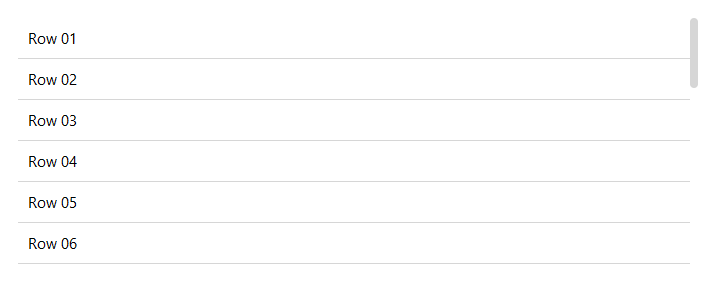
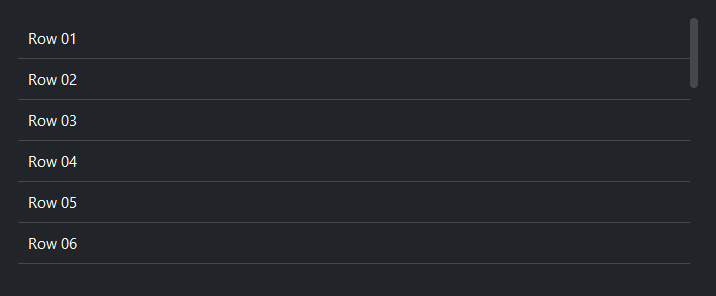
A canvas-backed scrollable container. Place child widgets inside the context block; they are stacked vertically inside the scrollable area by default. Mouse-wheel scrolling is automatically enabled for all descendants.
Usage#
A ScrollView only scrolls once its size is bounded — otherwise it grows to
fit its content and never has overflow to scroll. Give it grow=True to fill
a sized parent, or a fixed height=.
Basic vertical scroll#
Children are packed top-to-bottom inside the scrollable area.
with bs.Column(grow=True, gap=8):
    bs.Label("Log output", font="heading-md")
    with bs.ScrollView(scroll_direction="vertical", grow=True, horizontal="stretch"):
        for line in log_lines:
            bs.Label(line)
You can also constrain the height directly with height=:
with bs.ScrollView(height=200, horizontal="stretch"):
    for i in range(30):
        bs.Label(f"Item {i}")
Scroll direction#
scroll_direction= controls which axis scrolls. 'vertical' (default
for most use cases), 'horizontal', or 'both'.
# Vertical only
with bs.ScrollView(scroll_direction="vertical", grow=True):
    ...

# Horizontal — useful for wide content like a row of buttons
with bs.ScrollView(scroll_direction="horizontal", horizontal="stretch",
                   height=60, show_border=True):
    with bs.Row(gap=8, padding=8):
        for i in range(1, 20):
            bs.Button(f"Section {i:02d}", variant="outline")

# Both axes
with bs.ScrollView(scroll_direction="both", grow=True):
    ...


Note
Shift + scroll wheel scrolls horizontally on all platforms.
Scrollbar visibility#
scrollbar_visibility= controls when the scrollbars appear.
|
Scrollbars are always visible (default). |
|
Scrollbars are always hidden; scrolling still works via mouse wheel. |
|
Scrollbars appear when the mouse enters the widget. |
|
Scrollbars appear while scrolling, then auto-hide after
|
# Always-visible scrollbar (default)
bs.ScrollView(scrollbar_visibility="always")

# Hidden scrollbar — content scrolls via mouse wheel
bs.ScrollView(scrollbar_visibility="never")

# Scrollbar appears on hover
bs.ScrollView(scrollbar_visibility="hover")

# Scrollbar appears during scroll, hides after 1.5 s
bs.ScrollView(scrollbar_visibility="scroll", autohide_delay=1500)
Scrollbar style#
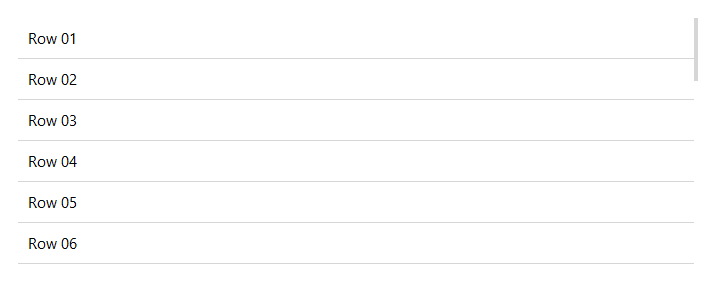
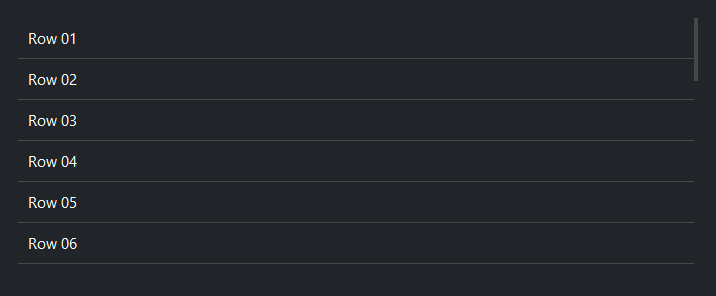
scrollbar_variant= selects the bar style — 'default' (the standard
rounded bar, used here) or 'thin' (a slim square bar that suits compact
lists, panels, and popups). The list-style widgets (ListView, Tree, Gallery) default to 'thin'; ScrollView keeps the standard
bar by default since it is a general-purpose container.
with bs.ScrollView(scrollbar_variant="thin", grow=True):
    for i in range(30):
        bs.Label(f"Row {i:02d}")
Border#
show_border=True draws a 1 px border around the ScrollView frame.
Pair it with padding= to prevent content from sitting flush against
the border.
with bs.ScrollView(show_border=True, padding=4, grow=True):
    for i in range(30):
        bs.Label(f"Row {i}")
Programmatic scroll control#
Navigate content without user interaction:
sv = bs.ScrollView(grow=True)
with sv:
    ...

sv.scroll_to_top()        # jump to top
sv.scroll_to_bottom()     # jump to bottom
sv.scroll_to_left()       # jump to left edge
sv.scroll_to_right()      # jump to right edge

sv.yview_moveto(0.5)      # 50 % of the way down
sv.xview_moveto(0.25)     # 25 % of the way across
Mouse-wheel scrolling#
Mouse-wheel scrolling is enabled automatically for the canvas and all descendants. To toggle it programmatically:
sv.disable_scrolling()    # pause scrolling
sv.enable_scrolling()     # resume
Descendants added later — including a second pass through the context block —
are wired for wheel scrolling automatically as they lay out, so you normally
do not need to do anything. refresh_bindings() is a safety net for the rare
case where some new descendants miss scrolling after a large dynamic batch:
sv = bs.ScrollView()
with sv:
    bs.Label("Static row")

# Later, add more rows dynamically — wheel scrolling just works on them
with sv:
    for i in range(100):
        bs.Label(f"Dynamic row {i}")

sv.refresh_bindings()   # only if some rows missed scrolling
Scroll events and position#
on_scroll() fires whenever the viewport moves — mouse-wheel, keyboard, or a
programmatic scroll_to_* / yview_moveto call. The handler receives a
ScrollEvent with y and x fractions. Read
scroll_position at any time for the same (y, x) pair.
sv = bs.ScrollView(grow=True)

sv.on_scroll(lambda e: print(f"at {e.y:.0%} down, {e.x:.0%} across"))

y, x = sv.scroll_position   # current position, e.g. (0.0, 0.0) at the top
Each fraction is the proportion of content scrolled past the viewport’s top-left
edge: 0.0 at the start, climbing toward 1.0 as you near the end (it stops
short of 1.0 while content still fills the viewport). on_scroll() with no
handler returns a composable Stream, so you can
debounce a position readout. See Events for the event model.
Keyboard scrolling#
Once the canvas has keyboard focus (click inside it), arrow keys and the paging keys scroll the viewport.
Key |
Action |
|---|---|
|
Scroll one line vertically |
|
Scroll one unit horizontally |
|
Scroll one page vertically |
|
Jump to the top / bottom |
Widget sizing#
All widgets accept self-placement kwargs via **kwargs. The parent
container determines which options apply — Column / Row parents use
the layout kwargs below, grid-based parents use grid kwargs.
Column (vertical layout)
Used inside a Column, App, or any other container with a column layout.
Children are arranged top-to-bottom, so horizontal aligns each child across
the width and grow shares the vertical space. (vertical does not apply —
the order of the children sets their top-to-bottom position.)
|
Cross-axis placement of the widget: |
|
Claim and fill a share of the leftover vertical space (the layout
direction). |
|
External spacing in pixels. Accepts an integer (equal on all
sides), a 2-tuple |
|
Horizontal external spacing (left and right). Accepts an integer
or a 2-tuple |
|
Vertical external spacing (top and bottom). Accepts an integer
or a 2-tuple |
Row (horizontal layout)
Used inside a Row or any other container with a row layout. Children are
arranged left-to-right, so vertical aligns each child across the height and
grow shares the horizontal space. (horizontal does not apply — the order
of the children sets their left-to-right position.)
|
Cross-axis placement of the widget: |
|
Claim and fill a share of the leftover horizontal space (the layout
direction). |
|
External spacing in pixels. Accepts an integer (equal on all
sides), a 2-tuple |
|
Horizontal external spacing (left and right). Accepts an integer
or a 2-tuple |
|
Vertical external spacing (top and bottom). Accepts an integer
or a 2-tuple |
Grid
Used inside a Grid container.
|
Zero-based row and column indices. |
|
Number of rows or columns to span. |
|
Horizontal placement within the grid cell: |
|
Vertical placement within the grid cell: |
|
External spacing in pixels. Accepts an integer, a 2-tuple
|
|
Horizontal external spacing. Accepts an integer or |
|
Vertical external spacing. Accepts an integer or |
See also#
Column —
non-scrolling vertical container.
Row —
non-scrolling horizontal container.
Card and
GroupBox —
framed containers that can be combined with ScrollView.
API#
The complete reference for ScrollView lives on the
Widgets API page. At a glance:
A canvas-based scrollable container. |
Full Example#
 1
 2with bs.App(title="ScrollView", size=(680, 500), padding=20, gap=16) as app:
 3
 4    # ── Vertical scroll ────────────────────────────────────────────────────
 5    with bs.Column(horizontal="stretch", gap=0):
 6        bs.Label("Vertical", font="heading-md")
 7
 8    with bs.ScrollView(
 9            scroll_direction="vertical",
10            scrollbar_visibility="always",
11            grow=True, horizontal="stretch"
12    ):
13        for i in range(1, 30):
14            with bs.Row(horizontal="stretch", padding=8):
15                bs.Label(f"Row {i:02d}")
16            bs.Divider(horizontal="stretch")
17
18    # ── Horizontal scroll ──────────────────────────────────────────────────
19    with bs.Column(horizontal="stretch", gap=0):
20        bs.Label("Horizontal (with border)", font="heading-md")
21
22    with bs.ScrollView(
23            scroll_direction="horizontal",
24            scrollbar_visibility="always",
25            horizontal="stretch",
26            height=100,
27            padding=3,
28            show_border=True,
29    ):
30        with bs.Row(gap=8, padding=8):
31            for i in range(1, 25):
32                bs.Button(f"Section {i:02d}", variant="outline")
33
34app.run()