

Avatar#
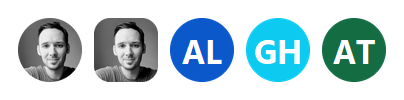
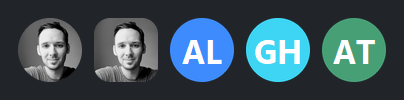
A small identity badge — a person’s picture, or their initials on a filled tile when there’s no image. It’s a circle by default, with rounded-square and square options.
Usage#
An image fills the avatar’s shape edge to edge — scaled to cover it and the overflow cropped, never letterboxed (the same image pipeline as Picture).
From an image#
Pass an Image handle, a file path, or a PIL
image:
bs.Avatar("alice.jpg", size=48)
bs.Avatar(Image.open("bob.png"), size=64, shape="rounded")
From initials#
With no image, the avatar shows initials on a background tile. Give a name
to derive them (first and last initial), or pass initials directly:
bs.Avatar(name="Ada Lovelace")            # -> "AL"
bs.Avatar(name="Grace Hopper", background="info")
bs.Avatar(initials="JD", background="success")
If an image is given but fails to load, the avatar falls back to initials (or a
plain background tile) automatically.
Shape and size#
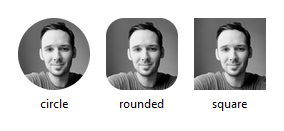
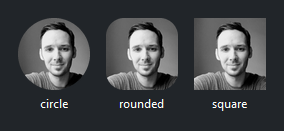
size sets the square’s edge in pixels; shape is 'circle' (default),
'rounded', or 'square':
bs.Avatar(photo, size=72, shape="circle")
bs.Avatar(photo, size=72, shape="rounded")
bs.Avatar(photo, size=72, shape="square")
Colors and clicks#
background colors the initials tile (and the fallback), foreground the
initials text — both take a theme color token or a hex string. on_click makes
the avatar an entry point (open a profile, a menu, …):
avatar = bs.Avatar(name="Ada Lovelace", background="primary", foreground="white")
avatar.on_click(lambda e: open_profile())
Swap the picture at runtime through the image property, or update the initials
with set_initials.
See also#
API#
The complete reference for Avatar lives on the
Widgets API page. At a glance:
A small identity badge — a picture or initials on a filled tile. |
Full Example#
 1
 2# The sample photo lives alongside the docs' example media.
 3_PHOTO = Path(__file__).parent.parent / "_static" / "examples" / "avatar-profile.jpg"
 4
 5with bs.App(title="Avatar", padding=20, gap=16) as app:
 6    bs.Label("From an image", font="heading-md")
 7    with bs.Row(gap=12):
 8        bs.Avatar(_PHOTO, size=64, shape="circle")
 9        bs.Avatar(_PHOTO, size=64, shape="rounded")
10        bs.Avatar(_PHOTO, size=64, shape="square")
11        bs.Avatar(_PHOTO, size=40)
12        bs.Avatar(_PHOTO, size=28)
13
14    bs.Divider()
15
16    bs.Label("From initials", font="heading-md")
17    with bs.Row(gap=12):
18        bs.Avatar(name="Ada Lovelace", size=64, background="primary")
19        bs.Avatar(name="Grace Hopper", size=64, background="info")
20        bs.Avatar(name="Alan Turing", size=64, background="success")
21        bs.Avatar(initials="JD", size=64, background="warning")
22        bs.Avatar(name="Katherine Johnson", size=64, background="#7c4dff", shape="rounded")
23
24    bs.Divider()
25
26    bs.Label("Clickable (prints to the console)", font="heading-md")
27    avatar = bs.Avatar(_PHOTO, size=56)
28    avatar.on_click(lambda e: print("avatar clicked"))
29
30app.run()