

Form Dialog#
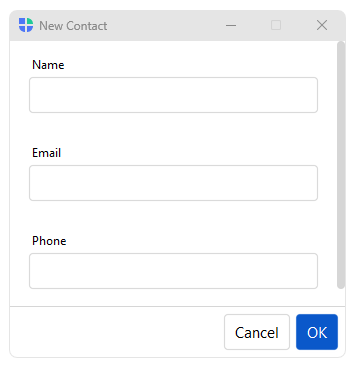
FormDialog embeds a Form in a
dialog. Pass data= to generate fields automatically from a dict, or
items= for an explicit layout.
Usage#
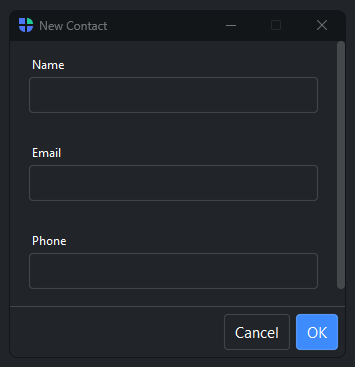
A FormDialog is a Form wrapped in a modal dialog
with submit and cancel wired up — pass data= to generate fields from a dict or
items= for an explicit layout, and show() returns the entered values (or
None on cancel).
Auto-generated fields#
Pass a dict to data=. Keys become field labels; values are the initial
field contents:
from bootstack.dialogs import FormDialog

dlg = FormDialog(
    title="Edit Profile",
    data={"username": "alice", "bio": "", "website": ""},
)
dlg.show()

if dlg.result:
    update_profile(dlg.result)
The returned result is a dict with the same keys as data, filled with
the user’s input. It is None when the user cancels.
Multiple columns#
Use col_count= to lay fields out in multiple columns:
dlg = FormDialog(
    title="Shipping Address",
    data={"street": "", "city": "", "state": "", "zip": ""},
    col_count=2,
)
dlg.show()
Reactive updates#
Use on_data_change= to respond to every field change while the dialog is
open:
def on_change(data):
    print(f"Current values: {data}")

dlg = FormDialog(
    title="Live Preview",
    data={"title": "", "description": ""},
    on_data_change=on_change,
)
dlg.show()
Resizable dialog#
Pass resizable=True to allow the user to resize the dialog window:
dlg = FormDialog(
    title="Notes",
    data={"content": ""},
    resizable=True,
    min_size=(400, 200),
)
dlg.show()
See also#
Dialog — Dialog for fully custom layouts without a built-in form.
Form — standalone Form widget for embedding inside an app window.
API#
The complete reference for FormDialog lives
on the Dialogs API page. At a glance:
A dialog window that embeds a Form for structured data entry. |
Full Example#
 1
 2from bootstack.dialogs import FormDialog
 3def show_simple():
 4    dlg = FormDialog(
 5        title="New Contact",
 6        data={"name": "", "email": "", "phone": ""},
 7    )
 8    dlg.show()
 9
10def show_multi_col():
11    dlg = FormDialog(
12        title="Shipping Address",
13        data={"street": "", "city": "", "state": "", "zip": ""},
14        col_count=2,
15    )
16    dlg.show()
17
18with bs.App(title="Form Dialog", size=(680, 400), padding=20, gap=16) as app:
19
20    with bs.Row(gap=8):
21        bs.Button("New Contact",      on_click=show_simple)
22        bs.Button("Address (2 cols)", on_click=show_multi_col)
23
24app.run()