

Splash#
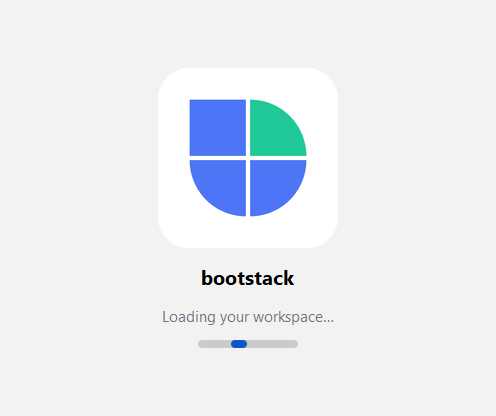
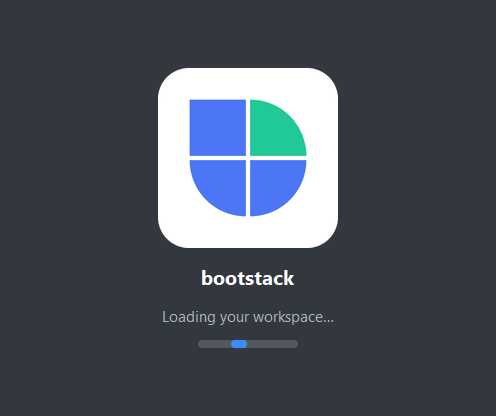
A borderless intro screen shown at startup that covers the cost of building the
main window and dismisses when the app is ready. Construct it inside the
App context and author its contents — a logo, a title, a
status line — exactly as you would the app body.
Usage#
A Splash is its own borderless window, not a panel inside the app. Because of
that it can appear immediately — before the main window is built — and the app
defers showing itself until the splash dismisses. Where you write the splash in
the App block decides how much of startup it covers: put it first to cover
the most. You don’t register or wire anything; constructing it inside the app
is the registration, and the app picks it up automatically.
Showing a splash#
Open a with bs.Splash(...) block first thing inside the app and author the
branding inside it — the splash is a plain container, so a logo, a title, and a
status line are just normal widgets. Everything after the block (the real work
of building your app) is covered by the splash.
import bootstack as bs

with bs.App(title="My App") as app:
    with bs.Splash(min_duration=1.0):
        bs.Picture(logo, width=140, height=140)
        bs.Label("My App", font="heading-lg")
        bs.Label("Loading…", accent="muted")

    # ...build the heavy app body — the splash covers this cost...

app.run()
The with block scopes content authoring only — leaving it does not
dismiss the splash. The splash stays up until its dismiss rule fires (below).
When it closes#
A single until knob says what automatically closes the splash, so the modes
can’t contradict each other:
|
Closes when… |
|---|---|
|
the app finishes building — the classic “cover startup” intro. |
a number, e.g. |
that many seconds have passed. App-ready does not close it — use this for fixed-duration branding. |
|
never, on its own — a welcome screen that waits for the user. Pair it with
|
min_duration is an independent floor under all three: the splash never closes
before it elapses, even if its trigger fires sooner. It prevents a jarring blink
when the app builds almost instantly.
bs.Splash(until="ready", min_duration=1.0)   # cover startup, but show ≥ 1s
bs.Splash(until=2.5)                          # branding for 2.5s
bs.Splash(until="manual", skippable=True)     # welcome screen; click/Esc to enter
Letting the user skip, or closing it yourself#
Set skippable=True to let a click or the Escape key dismiss the splash early.
To close it from your own code — a “Get started” button, or when background work
you started finishes — call dismiss(). Both still respect
min_duration.
with bs.App(title="My App") as app:
    splash = bs.Splash(until="manual")
    with splash:
        bs.Label("Welcome", font="heading-lg")
        bs.Button("Get started", on_click=splash.dismiss)

app.run()
Status text#
There is no built-in status line — author your own and bind it to a
Signal, which is more flexible than a single fixed line.
status = bs.Signal("Starting…")
with bs.Splash():
    bs.Label(textsignal=status)
status("Loading data…")    # update from your build code
Events#
on_dismiss() fires once as the splash begins to close,
receiving a SplashDismissEvent whose reason says
why — "ready", "timer", "manual", or "skip".
splash.on_dismiss(lambda e: print("splash closed:", e.reason))
Note
A splash needs an App on the context stack, and an app
shows only one. Constructing a Splash outside an app, or a second one
while the first is up, raises BootstackError.
See also#
Showing Splash Screens — splash patterns: timed branding, welcome screens, and showing real progress.
App — the application the splash introduces.
Picture — display a logo image, DPI-aware on high-density displays.
Window — a non-modal secondary window for after startup.
API reference#
See bootstack.Splash for the full API.
A borderless app intro screen shown while the main window is built. |
Full example#
"""Splash — a borderless intro screen shown while the app builds.

Run this directly: the splash appears first, covers the (simulated) cost of
building the main window, and dismisses after its timer — revealing the app.
"""

import bootstack as bs
from bootstack.images import get_icon

with bs.App(title="Splash", size=(620, 420), padding=16, gap=12) as app:
    # Written first, so it covers everything that follows. The timer closes it
    # after 2.5s; min_duration keeps it up at least 1s on a fast machine.
    with bs.Splash(until=2.5, min_duration=1.0, skippable=True, size=(420, 360)):
        bs.Picture(get_icon("rocket", size=96, color="primary"), width=96, height=96)
        bs.Label("My App", font="heading-lg")
        bs.Label("Loading your workspace…", accent="muted")
        # Timed mode keeps the splash up under the live event loop, so an
        # indeterminate bar actually marches. (Under until="ready", covering a
        # synchronous build, it would sit still — see the splash how-to.)
        bar = bs.ProgressBar(mode="indeterminate")
        bar.start()

    # The heavy app body — the splash is on screen the whole time it builds.
    bs.Label("Welcome!", font="heading-md")
    bs.Label("The splash covered the cost of building this window.")

app.run()