Quick Start
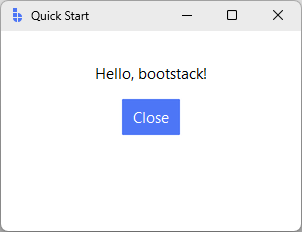
This guide shows a minimal bootstack application so you can verify your setup and get a feel for the API.
It intentionally keeps things simple and familiar, especially if you already know Tkinter.
Create a simple app
import bootstack as bs

app = bs.App(title="Quick Start", minsize=(300, 200))

frame = bs.Frame(app, padding=20)
frame.pack(fill="both", expand=True)

bs.Label(frame, text="Hello, bootstack!").pack(pady=10)
bs.Button(frame, text="Close", command=app.destroy).pack()

app.mainloop()
What just happened
- You created an App, which replaces
tk.Tkand applies a theme automatically. - You created a Frame to group widgets and manage spacing.
- Widgets were laid out using pack, the standard Tk geometry manager.
- Styling (colors, fonts, spacing defaults) comes from the active bootstack theme.
Nothing here is bootstack-specific magic — this example behaves the same way across platforms and looks correct in both light and dark themes.
Where to go next
If this feels familiar, that’s intentional.
From here you can:
- Learn recommended layout patterns in
Guides → Layout - Explore higher-level containers like
PackFrameandGridFrame
Widgets → Layout - Understand how themes, colors, and variants work
Design System → Overview
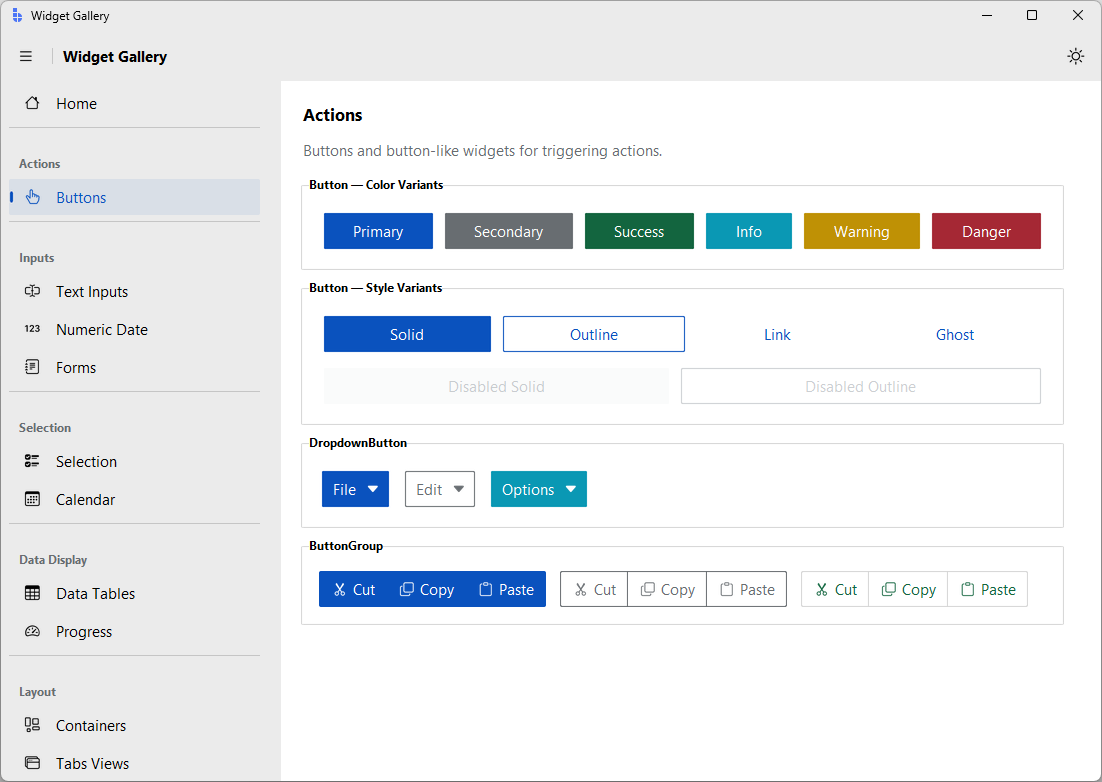
Explore the Widget Gallery
To browse all available widgets interactively, run:
bootstack gallery
Need more structure?
If you prefer a scaffolded project layout, localization setup, or build tooling, bootstack includes a command-line interface.
See Tooling → CLI for available commands.