

bootstack#
Desktop apps in pure Python — Tk underneath, none of the boilerplate.
bootstack is built on Tk, so the install is light and your app ships as a small standalone executable. But you’ll
never write a StringVar or call .pack() — the API is its own. 60+ widgets, reactive state, and a CLI that
scaffolds and packages the whole thing.
Why bootstack#
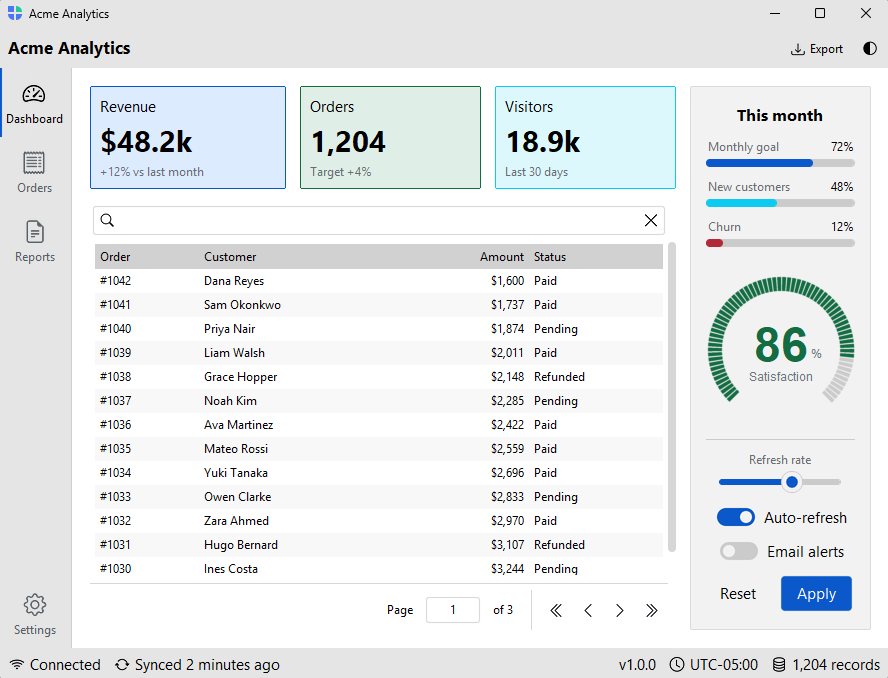
Your code mirrors the interface — nested with blocks are the layout —
and state bound once flows to every widget that uses it. No geometry math,
no manual wiring.
60+ themed widgets — tables, trees, calendars, a syntax-highlighting code editor, forms with validation, and data sources — plus icons and localization. The pieces of a real application, already built.
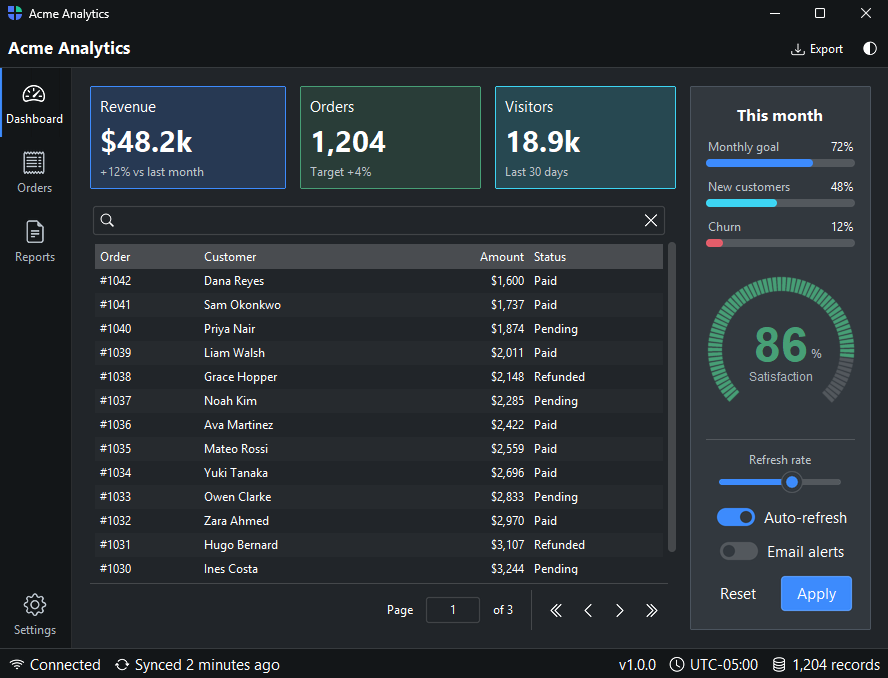
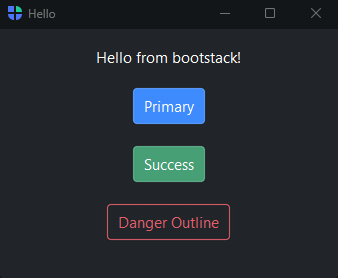
Semantic styling — accent="primary", variant="outline" — instead of
hand-picked colors, so the same code looks correct across eight light/dark
themes and switches at runtime.
Lightweight to install with no heavy runtime, and a CLI that scaffolds, runs, and packages your project into a standalone executable.
A glimpse#
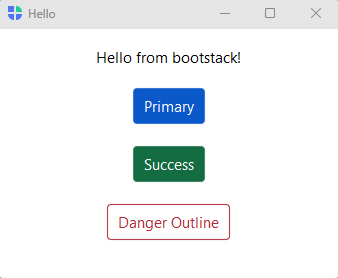
A complete window is a handful of lines — the structure you read is the structure you get:
import bootstack as bs

with bs.App(title="Hello", padding=16, gap=16) as app:
    bs.Label("Hello from bootstack!")
    bs.Button("Primary", accent="primary")
    bs.Button("Success", accent="success")
    bs.Button("Danger Outline", accent="danger", variant="outline")

app.run()
Start here#
Your first window in minutes — then navigation apps and reactive state.
Goal-oriented how-to guides and subsystem topics.
The visual catalog — every component with examples and screenshots.
The complete public API, grouped by concept.
Install#
bootstack requires Python 3.12 or newer. Install it with pip:
pip install bootstack
To tour everything bootstack ships without writing a line of code, launch the gallery:
bootstack gallery