

App Structures#
Every bootstack program starts with one of three top-level containers. Picking the right one is the first design decision you make — and the only one that is hard to change later, so it is worth a minute up front.
App— a single window. Reach for it first.AppShell— a window with a sidebar and swappable pages.Window— a secondary window opened from an app.
All three share the same context-manager building model and the same window controls; they differ only in the structure they give your content.
App — the single window#
App is the starting point: one window that you fill with widgets. Create it with
a with block — every widget built inside the block becomes a child, with no
parent= wiring — then call run() after the block to start the event loop.
import bootstack as bs

with bs.App(title="Notes", size=(480, 340), padding=20, gap=10) as app:
    bs.Label("Notes", font="heading-lg")
    bs.Label("A single window you fill with widgets.", accent="secondary")
    bs.TextField(placeholder="Title", horizontal="stretch")
    bs.TextArea(value="Reach for App first — it covers anything that fits "
                      "on one screen.", grow=True, horizontal="stretch")
    with bs.Row(gap=8, horizontal="stretch", horizontal_items="right"):
        bs.Button("Discard", variant="ghost")
        bs.Button("Save", accent="primary")

app.run()
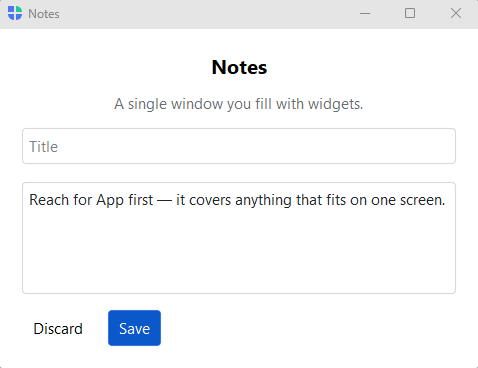
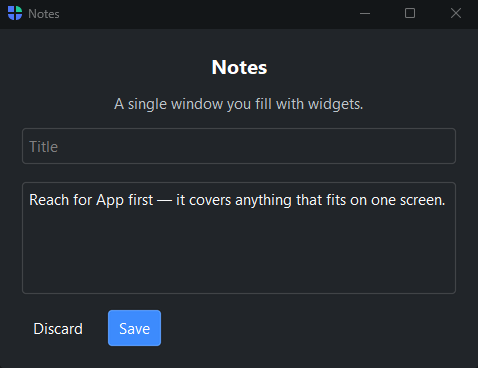
Use App for anything that fits on one screen: a form, a calculator, a
dashboard, a single-purpose tool. You can still open dialogs and secondary
windows from it — App is only the primary window, not your whole UI.
The window responds to method calls at runtime: app.close(), app.minimize(),
app.maximize(), app.hide() / app.show(), and app.set_fullscreen().
To intercept a close, register app.on_close(handler) and return False to keep
the window open.
Settings such as app.theme, app.locale, and app.title are live properties —
assign to one and the window updates immediately.
AppShell — sidebar navigation#
When your app has several distinct destinations, reach for AppShell. It is an
App with a built-in navigation sidebar and a content area that swaps as the user
navigates. Declare the sidebar with page_nav(), register each destination with
add_page() — which returns a context manager for that page’s content (a page is
a column, so set its padding / gap right there) — and pick the starting page
with navigate().
import bootstack as bs

with bs.AppShell(title="Acme") as shell:
    with shell.add_toolbar() as bar:
        with bar.add_menu("File") as file:
            file.add_action("New", shortcut="Mod+N", on_click=lambda: None)
            file.add_divider()
            file.add_action("Quit", shortcut="Mod+Q", on_click=shell.close)
        bar.add_spacer()
        bar.add_theme_toggle()

    with shell.page_nav() as nav:
        with nav.add_page("home", text="Home", icon="house", gap=12, padding=20):
            bs.Label("Home", font="heading-lg")
            bs.Label("A window with a sidebar and swappable pages.", accent="secondary")
        with nav.add_page("reports", text="Reports", icon="bar-chart", padding=20):
            bs.Label("Reports", font="heading-lg")
        with nav.add_page("team", text="Team", icon="people", padding=20):
            bs.Label("Team", font="heading-lg")

        with nav.add_page("settings", text="Settings", icon="gear", pin_to_footer=True, padding=20):
            bs.Label("Settings", font="heading-lg")

    shell.navigate("home")

shell.run()
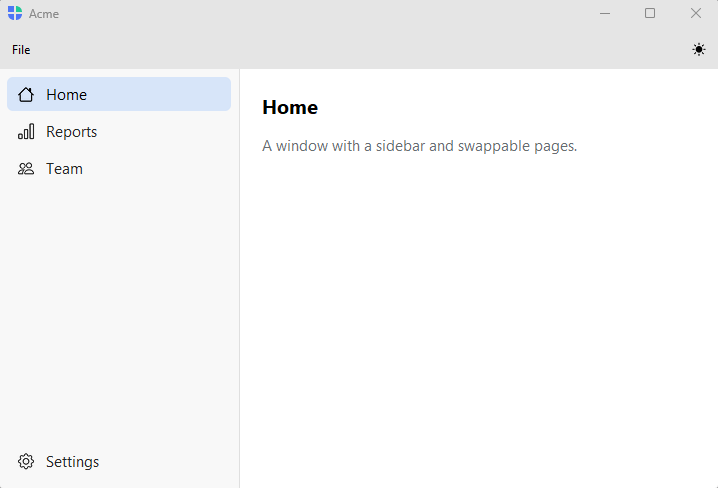
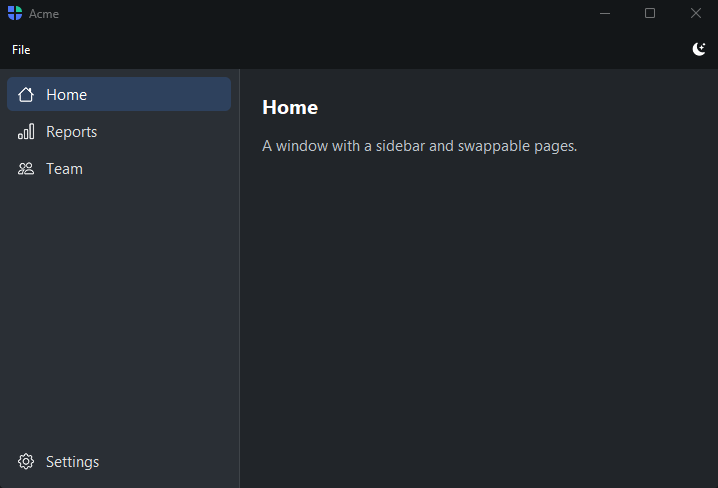
pin_to_footer=True pins an item (Settings, Account) to the bottom of the
sidebar; nav.add_header() adds a section label above a group of items. For
record-driven sidebars (a list of messages, a tree of folders) and multi-area
apps with their own rails (Workbench), see the
Navigating Views patterns.
Because AppShell builds on App, it keeps the same window controls, the same
add_toolbar() chrome, and adds a statusbar along the bottom. What it adds
on top is the navigation — so choose it when you need that navigation, not for a
single-page app that App already handles.
Window — secondary windows#
Window is a second (or third) window opened from a running app — a
preferences panel, an inspector, a tool palette, a detached editor. Build it the
same way you build an App, then show() it.
def rename(current: str) -> str | None:
    win = bs.Window(title="Rename", modal=True, padding=16, gap=12)
    with win:
        bs.Label("New name:")
        field = bs.TextField(value=current)

        def commit():
            win.result = field.value
            win.close()

        bs.Button("Rename", accent="primary", on_click=commit)

    return win.block_until_closed()
Pass parent= to tie the window to its opener (it closes with the parent and
centers over it), and modal=True to block interaction with the rest of the app
until it is dismissed. win.show() returns immediately; win.block_until_closed()
shows the window and waits, returning whatever you stored in win.result.
For a quick prompt — a confirmation, a string, a date — you usually do not
need a Window at all. The ready-made dialog verbs (bs.confirm,
bs.ask_string, …) are shorter and handle the result for you. Reach for
Window when the secondary surface has real content of its own. See
Showing Dialogs.
Choosing between them#
Use |
When |
|---|---|
The whole UI fits in one window — a form, a tool, a dashboard. Start here; reach for the others only when you outgrow it. |
|
The app has several top-level destinations behind a sidebar, or a record-driven master/detail layout. |
|
You need a second window — preferences, an inspector, a detached editor — opened from a running app. |
AppShell is an App with navigation baked in; you cannot upgrade an App
into one in place, so if you can see the sidebar coming, start with AppShell.
See also#
Quick Start — your first app in 60 seconds.
Arranging Widgets — arranging widgets inside any of these containers.
Composing with Builders — factor reusable UI out of plain functions as your app grows.
Navigating Views — the full set of
AppShellnavigation patterns.