

Quick Start#
Your first app takes about 60 seconds.
Hello bootstack#
import bootstack as bs

with bs.App(title="Hello", padding=16, gap=16) as app:
    bs.Label("Hello from bootstack!")
    bs.Button("Primary", accent="primary")
    bs.Button("Success", accent="success")
    bs.Button("Danger Outline", accent="danger", variant="outline")

app.run()
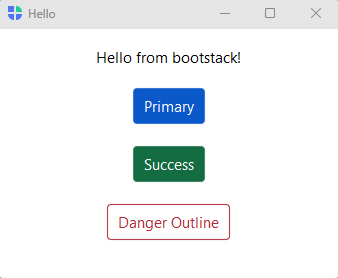
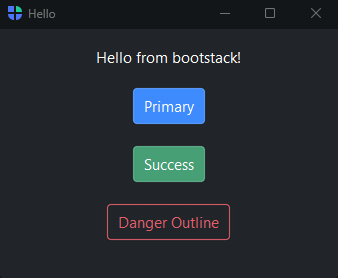
A few things to notice:
with bs.App(...) as app:creates the window and pushes it onto the layout context. Widgets created inside the block automatically become children — noparent=argument needed.bs.Labelandbs.Buttonaccept their primary content as the first positional argument.accent=sets the color intent;variant=sets the visual weight. The same code looks correct across all themes.app.run()starts the event loop. It goes after thewithblock.
Tip
While building, run your app with bootstack dev app.py instead of
python app.py. Edits appear in the running window the moment you save —
the window stays put and your state is preserved. See
Hot Reload.
Navigation apps#
For apps with a sidebar and multiple pages, use AppShell:
import bootstack as bs

with bs.AppShell(title="My App") as shell:
    with shell.page_nav() as nav:
        with nav.add_page("home", text="Home", icon="house", padding=20, gap=8):
            bs.Label("Welcome!", font="heading-lg")
            bs.Label("Select a page from the sidebar.", accent="secondary")

        with nav.add_page("data", text="Data", icon="table", padding=20, gap=8):
            bs.Label("Your data goes here.", font="heading-lg")

    shell.navigate("home")

shell.run()
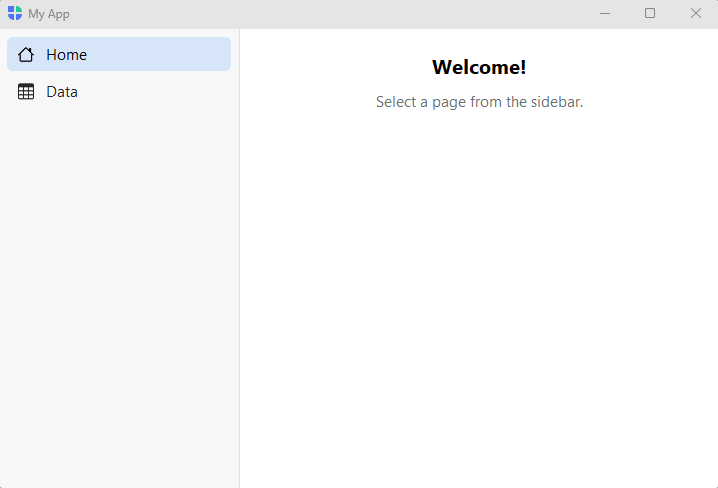
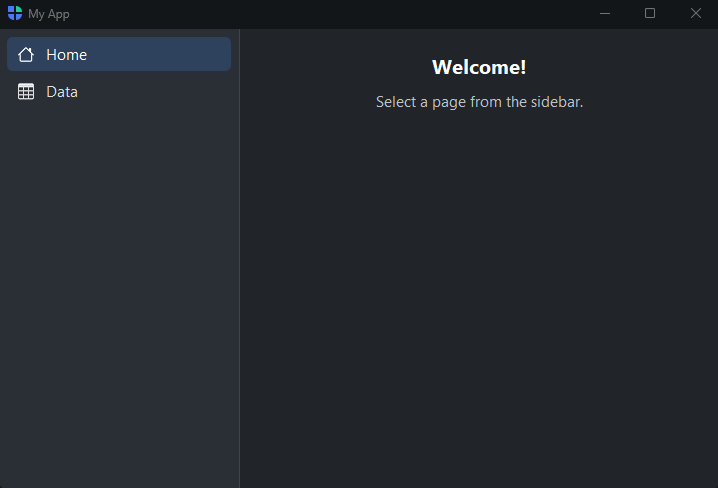
shell.page_nav() declares the sidebar; nav.add_page() returns a page
container — a column, so its padding / gap go right on the call (no inner
wrapper). Use it as a context manager to place widgets inside it.
shell.navigate() sets the initially visible page.
Reactive state#
When the same value needs to drive multiple widgets, use a Signal:
import bootstack as bs

with bs.App(title="Signals", padding=20, gap=12) as app:
    name = bs.Signal("World")
    bs.Label("Live preview:", font="caption", accent="secondary")
    bs.Label(textsignal=name, font="heading-md", accent="primary")
    bs.TextField(placeholder="Type a name…", textsignal=name)

app.run()
Signal holds a value. Any widget bound with textsignal= updates
automatically when the signal changes — no manual callbacks needed.
Next steps#
App Structures — choose the right container for your app
Arranging Widgets — arrange widgets with stacks and grids
Getting Input — text fields, sliders, and date pickers
Showing Dialogs — alerts, confirmations, and input dialogs