

Single-tier app#
A flat sidebar of top-level destinations — the everyday “dashboard” app. Each sidebar item is an authored page; selecting it shows that page’s content. With a single set of pages, no workspace rail appears.
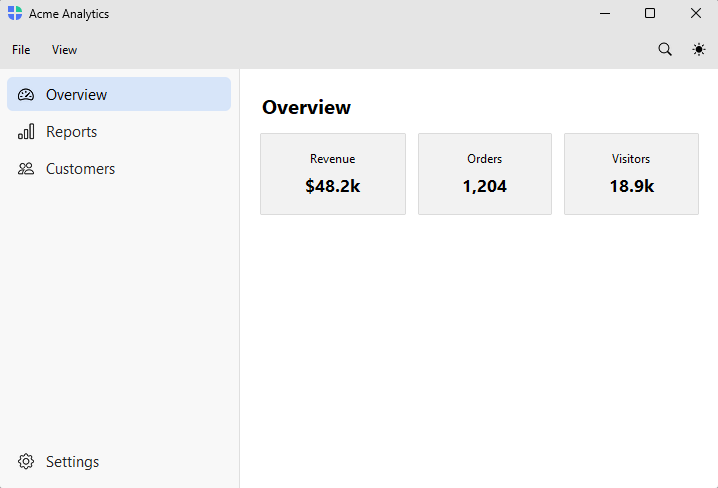
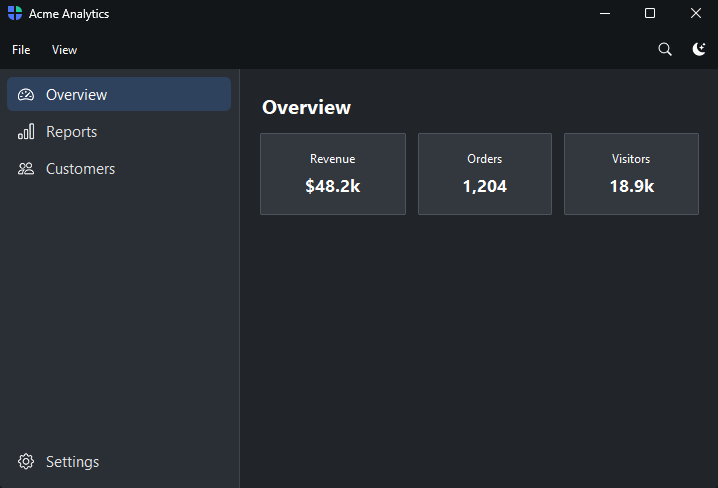
How it works#
page_nav() declares the sidebar as an authored page list and returns a handle;
each add_page(key, *, text, icon) registers a sidebar item and its content page
together, and returns a context manager — widgets inside the with block are
parented to that page. A page is a column, so set padding / gap on
add_page (no inner wrapper). pin_to_footer=True pins an item (Settings,
Account) to the bottom of the sidebar. navigate(key) selects the starting page.
with shell.page_nav() as nav:
    with nav.add_page("overview", text="Overview", icon="speedometer2", padding=20):
        bs.Label("Overview", font="heading-lg")
shell.navigate("overview")
Example#
 1"""Single-tier app — a flat list of top-level destinations (an analytics dashboard).
 2
 3``page_nav()`` declares the sidebar as an authored page list; each
 4``nav.add_page`` registers a sidebar item and its content together. A page IS a
 5column, so set ``padding`` / ``gap`` on ``add_page`` and drop the inner wrapper.
 6The first ``navigate`` picks the starting page; with one sidebar no rail appears.
 7"""
 8import bootstack as bs
 9
10with bs.AppShell(title="Acme Analytics", size=(900, 580)) as shell:
11    with shell.add_toolbar() as bar:
12        with bar.add_menu("File") as file:
13            file.add_action("New", shortcut="Mod+N", on_click=lambda: None)
14            file.add_action("Open", shortcut="Mod+O", on_click=lambda: None)
15            file.add_divider()
16            file.add_action("Quit", shortcut="Mod+Q", on_click=shell.close)
17        with bar.add_menu("View") as view:
18            view.add_action("Refresh", shortcut="Mod+R", on_click=lambda: None)
19        bar.add_spacer()
20        bar.add_button(icon="search", on_click=lambda: None)
21        bar.add_theme_toggle()
22
23    with shell.page_nav() as nav:
24        with nav.add_page("overview", text="Overview", icon="speedometer2", padding=20, gap=12):
25            bs.Label("Overview", font="heading-lg")
26            with bs.Grid(columns=3, gap=12, horizontal="stretch"):
27                for label, value in (("Revenue", "$48.2k"), ("Orders", "1,204"), ("Visitors", "18.9k")):
28                    with bs.Card(padding=16, gap=4):
29                        bs.Label(label, font="caption")
30                        bs.Label(value, font="heading-md")
31
32        with nav.add_page("reports", text="Reports", icon="bar-chart", padding=20, gap=8):
33            bs.Label("Reports", font="heading-lg")
34            bs.Label("Build and schedule reports.")
35
36        with nav.add_page("customers", text="Customers", icon="people", padding=20, gap=8):
37            bs.Label("Customers", font="heading-lg")
38            bs.Label("1,204 active accounts.")
39
40        with nav.add_page("settings", text="Settings", icon="gear", pin_to_footer=True, padding=20, gap=8):
41            bs.Label("Settings", font="heading-lg")
42
43    shell.navigate("overview")
44
45shell.run()
When to use#
Reach for the single-tier app when you have a handful of independent destinations and no need to sub-group them. If the destinations fall into clear categories, add section labels — see Grouped sidebar. If the sidebar is really a list of records (messages, devices), use Master–detail (list) instead. If the app has several distinct areas each with their own sidebar, give each a workspace — see Workspaces.