

Custom sidebar#
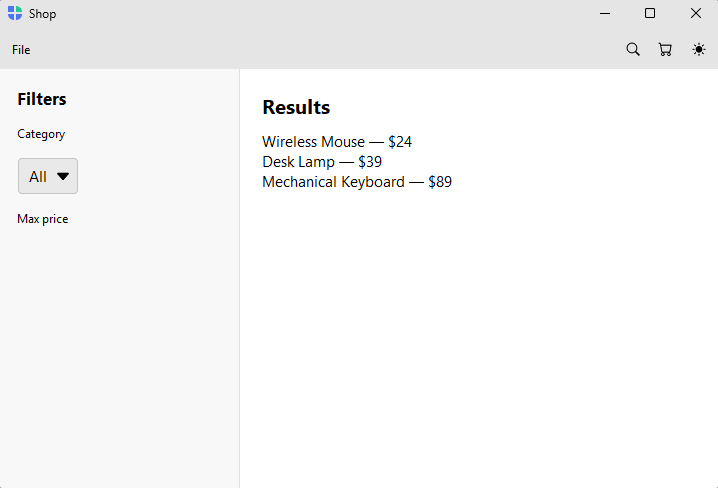
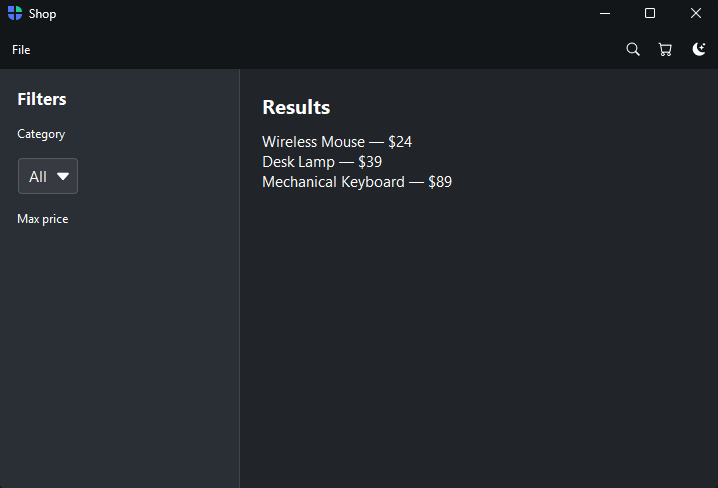
A bespoke sidebar you build by hand — a faceted filter panel, a tool palette, a layer list. The escape hatch for when the sidebar isn’t navigation at all, so none of the built-in providers fit.
How it works#
custom_nav() claims the sidebar as a blank container and returns it as a context
manager — fill it with any widgets. You then drive the content area yourself
through shell.content (also a container), typically by binding widgets to a
Signal. Nothing is added or collapsed automatically —
the sidebar is yours to fill and manage.
with shell.custom_nav():
    bs.Label("Filters", font="heading-md")
    bs.SelectButton(options=["All", "Electronics", "Home"], signal=category)

with shell.content:
    bs.Label("Results", font="heading-lg")
    bs.Label(textsignal=results)
Because there are no pages, navigate() does not apply — the content is whatever
you put there and update.
Example#
 1"""Custom sidebar — a bespoke sidebar the providers can't express (search filters).
 2
 3``custom_nav()`` claims the sidebar as a blank container you fill with any widgets,
 4and you drive the content area yourself via ``shell.content``. A faceted filter
 5sidebar — category, price, rating — feeding a results area is the classic case:
 6it isn't navigation, so none of the nav providers fit. Reach for ``custom_nav()``
 7only when ``page_nav`` / ``list_nav`` / ``tree_nav`` cannot express your sidebar.
 8"""
 9import bootstack as bs
10
11PRODUCTS = [
12    {"name": "Wireless Mouse", "category": "Electronics", "price": 24},
13    {"name": "Desk Lamp", "category": "Home", "price": 39},
14    {"name": "Mechanical Keyboard", "category": "Electronics", "price": 89},
15    {"name": "Throw Pillow", "category": "Home", "price": 19},
16    {"name": "USB-C Hub", "category": "Electronics", "price": 45},
17]
18
19with bs.AppShell(title="Shop", size=(900, 580)) as shell:
20    with shell.add_toolbar() as bar:
21        with bar.add_menu("File") as file:
22            file.add_action("New order", shortcut="Mod+N", on_click=lambda: None)
23            file.add_divider()
24            file.add_action("Quit", shortcut="Mod+Q", on_click=shell.close)
25        bar.add_spacer()
26        bar.add_button(icon="search", on_click=lambda: None)
27        bar.add_button(icon="cart", on_click=lambda: None)
28        bar.add_theme_toggle()
29
30    category = bs.Signal("All")
31    max_price = bs.Signal(100)
32    results = bs.Signal("")
33
34    def recompute(*_):
35        matches = [
36            p for p in PRODUCTS
37            if (category() == "All" or p["category"] == category())
38            and p["price"] <= max_price()
39        ]
40        lines = [f"{p['name']} — ${p['price']}" for p in matches]
41        results.set("\n".join(lines) if lines else "No products match.")
42
43    # A bespoke filter sidebar — not navigation, so custom_nav() is the right tool.
44    with shell.custom_nav():
45        with bs.Column(horizontal_items="left", gap=12, padding=(16, 10)):
46            bs.Label("Filters", font="heading-md")
47            bs.Label("Category", font="caption")
48            bs.SelectButton(options=["All", "Electronics", "Home"], signal=category)
49            bs.Label("Max price", font="caption")
50            bs.Slider(min_value=10, max_value=100, signal=max_price)
51
52    # Drive the content region by hand from the filter signals.
53    with shell.content:
54        with bs.Column(horizontal_items="left", gap=8, padding=(16, 10)):
55            bs.Label("Results", font="heading-lg")
56            bs.Label(textsignal=results)
57
58    category.subscribe(recompute)
59    max_price.subscribe(recompute)
60    recompute()
61
62shell.run()
When to use#
Reach for a custom sidebar only when page_nav, list_nav, and tree_nav
genuinely can’t express what you need — a sidebar that isn’t a navigation list.
If you want collapsible sections of navigation, prefer a
grouped sidebar (or an
Accordion inside the panel for
collapsible content). For records, use a list or
tree master–detail.