

Building Forms#
A form collects several related fields and returns them as one dict. You can lay
one out by hand from the field widgets in Getting Input, but
Form does the repetitive part for you — it builds labeled,
grid-aligned fields from a description and gives you the whole record back with a
single .value.
The quickest form#
Hand Form a data= dict and it infers a field for each key, choosing the
editor from the value’s type — a text box for strings, a number field for
numbers, a date picker for dates, a checkbox for booleans:
form = bs.Form(data={
    "name": "",
    "age": 30,
    "subscribed": True,
})
# later…
print(form.value)        # {"name": "...", "age": 30, "subscribed": True}
form.value is always the current record; form.set({...}) writes values back
into the fields.
Describing fields explicitly#
Inferred fields are great for a prototype, but real forms want labels, ordering,
columns, and specific editors. Pass items= a list of FieldItem
definitions (or plain dicts of the same shape) and a col_count to control the
grid:
form = bs.Form(
    col_count=2,
    items=[
        bs.FieldItem(key="first", label="First name", required=True),
        bs.FieldItem(key="last", label="Last name"),
        bs.FieldItem(key="email", label="Email", required=True, columnspan=2),
        bs.FieldItem(
            key="role",
            label="Role",
            editor="select",
            editor_options={"values": ["Engineer", "Designer", "Manager"]},
            columnspan=2,
        ),
    ],
)
Group related fields under a heading with GroupItem, or split
a long form across tabs with TabsItem — both nest FieldItem
entries the same way.
Validating before submit#
For the ubiquitous empty-check, set required=True on the field’s FieldItem
(shown above) — it adds the rule and the asterisk for you. Attach any other rules
to the built field with add_validation_rule(), reaching it through
form.field(key). form.validate() then runs every rule and returns True only
when they all pass — each failing field shows its own message:
form.field("email").add_validation_rule("email", message="Enter a valid email address.")
form.field("first").add_validation_rule("required")
form.field("first").add_validation_rule("stringLength", min=2, max=50)

def submit():
    if form.validate():
        save(form.value)

bs.Button("Save", accent="primary", on_click=submit)
The built-in rule types (required, email, stringLength, pattern,
compare, custom) and their triggers are covered in
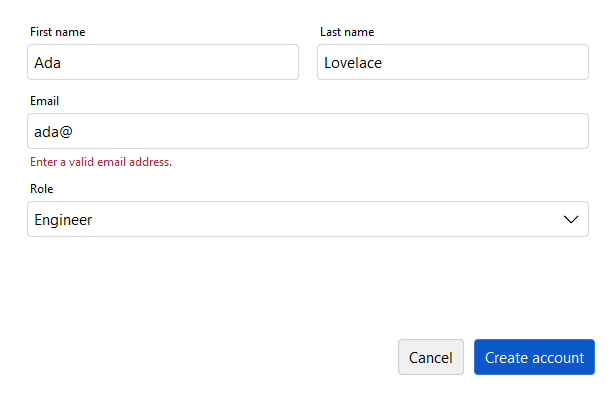
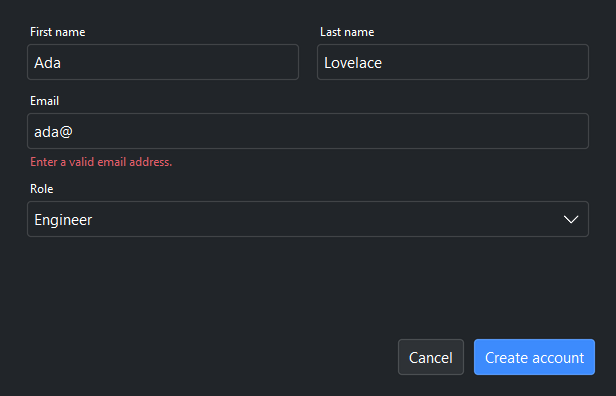
Validation. A failing rule shows its message beneath the
field:
Forms in a dialog#
When the form is a modal step rather than part of a page, skip the manual layout
and use FormDialog. It wraps the same field
description in a dialog with OK/Cancel wiring, and show() returns the collected
record (or None if canceled):
from bootstack.dialogs import FormDialog

dialog = FormDialog(
    title="New contact",
    items=[
        bs.FieldItem(key="name", label="Name"),
        bs.FieldItem(key="email", label="Email"),
    ],
)
dialog.show()
if dialog.result:
    add_contact(dialog.result)
See also#
Getting Input — the individual field widgets a form is built from.
Validation — rule types, triggers, and reacting to results.
Showing Dialogs —
FormDialogand the other ready-made dialogs.Form — the
Formreference page.