

Master–detail (list)#
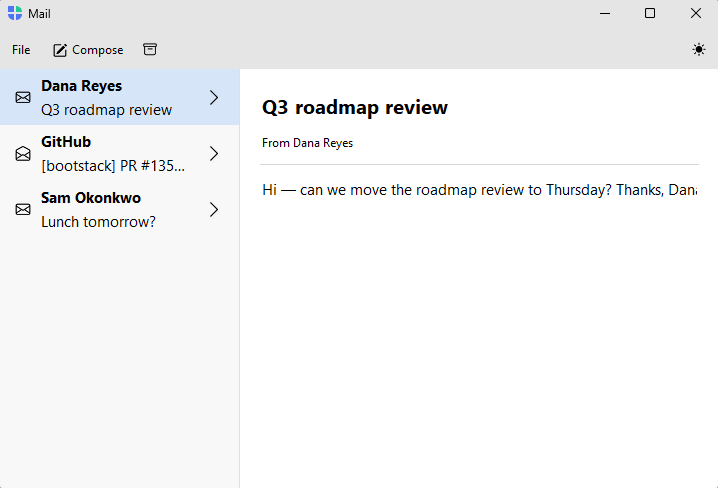
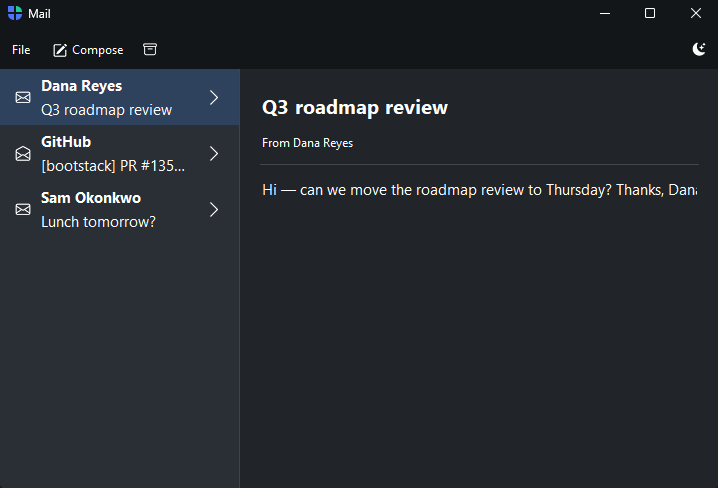
A list of records in the sidebar drives a detail view in the content area — the email inbox, the contact list, the device manager. The sidebar is filled straight from a data source; you write one builder that renders the selected record.
How it works#
list_nav(source) fills the sidebar from a data source, rendering each record’s title / text /
icon as a row. Decorate a builder with @shell.detail to render the body
for the selected record — it receives the record as a dict. The first record is
selected automatically, so the detail view is never empty on open.
shell.list_nav(inbox)

@shell.detail
def read(message):
    with bs.Column(horizontal_items="left", gap=12, padding=(16, 10)):
        bs.Label(message["text"], font="heading-lg")
        bs.Label(message["body"])
The list stays in sync with its source — adding, removing, or editing records updates the sidebar (and re-renders the open detail) automatically.
Example#
 1"""Master–detail (list) — a list drives a detail view (an email inbox).
 2
 3``list_nav`` turns each record into a sidebar row (its ``title`` / ``text`` /
 4``icon``); ``@shell.detail`` renders the body for the selected record, received as
 5a dict. The first message is selected automatically — no ``navigate`` needed. The
 6inbox → read-the-message flow is the archetypal master–detail screen.
 7"""
 8import bootstack as bs
 9from bootstack.data import MemoryDataSource
10
11inbox = MemoryDataSource().load([
12    {"id": 1, "title": "Dana Reyes", "text": "Q3 roadmap review", "icon": "envelope",
13     "body": "Hi — can we move the roadmap review to Thursday? Thanks, Dana"},
14    {"id": 2, "title": "GitHub", "text": "[bootstack] PR #135 merged", "icon": "envelope-open",
15     "body": "Your pull request was merged into main."},
16    {"id": 3, "title": "Sam Okonkwo", "text": "Lunch tomorrow?", "icon": "envelope",
17     "body": "Want to grab lunch tomorrow around noon?"},
18    {"id": 4, "title": "Billing", "text": "Your receipt for June", "icon": "envelope-open",
19     "body": "Thanks for your payment. Your receipt is attached."},
20])
21
22with bs.AppShell(title="Mail", size=(900, 580)) as shell:
23    with shell.add_toolbar() as bar:
24        with bar.add_menu("File") as file:
25            file.add_action("New message", shortcut="Mod+N", on_click=lambda: None)
26            file.add_divider()
27            file.add_action("Quit", shortcut="Mod+Q", on_click=shell.close)
28        bar.add_button(icon="pencil-square", label="Compose", on_click=lambda: None)
29        bar.add_button(icon="archive", on_click=lambda: None)
30        bar.add_spacer()
31        bar.add_theme_toggle()
32
33    shell.list_nav(inbox, chevron=True)
34
35    @shell.detail
36    def read(message):
37        with bs.Column(horizontal_items="left", gap=12, padding=(16, 10)):
38            bs.Label(message["text"], font="heading-lg")
39            bs.Label(f"From {message['title']}", font="caption")
40            bs.Divider(horizontal="stretch")
41            bs.Label(message["body"])
42
43shell.run()
When to use#
Use the list master–detail when the sidebar is a flat list of records and the content shows one at a time. When records nest under parents (folders, an org chart), use Master–detail (tree). When the sidebar items are a fixed set of authored screens rather than data, use a single-tier app.